Best AI Calorie Tracker Apps for iPhone in 2026: Photo Scanners Compared
Compare nine iPhone apps for food photo scanning, calories and macros. See which meal scanners need a paid plan, which diaries work offline, and where your meal photos stay.
By ProTrack AI Team · Updated: · Best privacy pick: ProTrack AI
Quick answer
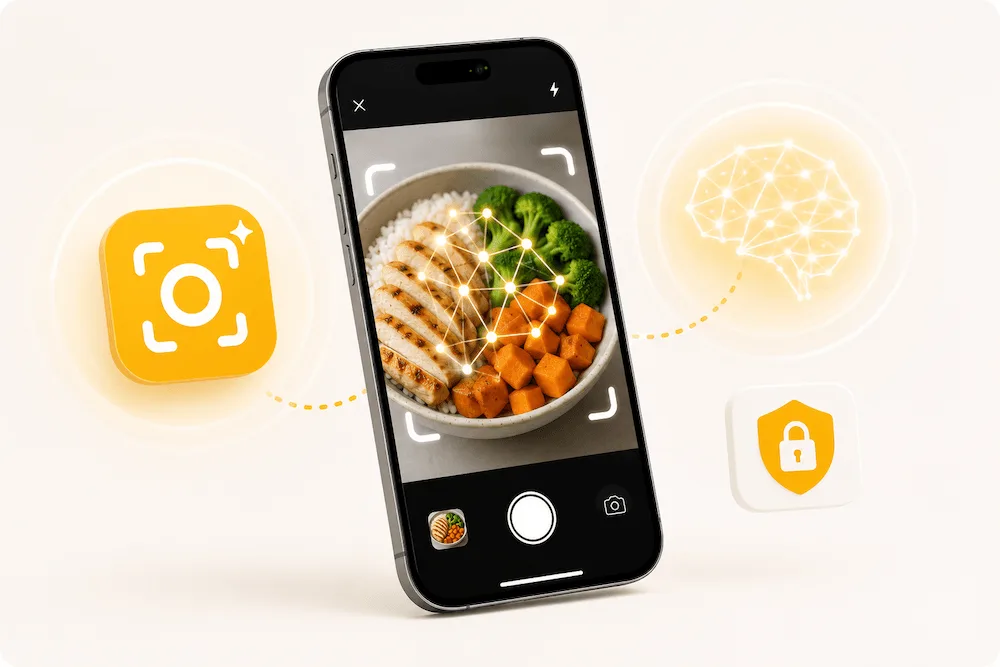
Choose ProTrack AI for private food photo scanning on iPhone. Meal analysis runs on the device, photos and the diary stay on your iPhone, and no account is required. It needs iOS 26 or later and is free to try with a limited scan allowance.
For a specific switch, see Cal AI alternatives. For a conventional diary, compare simple no-AI trackers.
Key takeaways
- Private meal scanning: ProTrack AI combines on-device photo analysis, a local diary and no required account. See the product facts.
- Photo access matters: Cal AI requires a subscription for scan results. Cronometer puts photo logging in Gold.
- Free scanning allowance: SnapCalorie offers up to three AI logs per day free, while MyNetDiary includes free manual and barcode logging.
- Photo logging plus coaching: MacroFactor supports AI photo logging alongside its adaptive macro plans.
- Review portions: Food recognition and portion estimation can make mistakes, especially with mixed dishes.
The best AI calorie tracker is the one that fits the way you log food. A camera shortcut can help with a plate of food; a barcode lookup suits a packaged product; a manual entry is useful when you already know the ingredients and quantities.
Check the feature you need before paying. MyFitnessPal separates its free diary from Premium scanning and Premium+ meal planning. Foodvisor offers free manual logging but puts photo meal analysis in Premium.
Privacy and offline use also affect the choice. ProTrack AI keeps meal-photo analysis and the diary on the iPhone, as its product facts explain. An app with an offline diary does not automatically provide offline photo analysis.
How to choose an AI food photo calorie tracker
Compare these practical details before choosing an iPhone calorie scanning app:
- Food photo scanning: Does the app estimate a meal from an image, and which paid tier includes it?
- Calories and macros: Does the diary show protein, carbs and fat, with any extra nutrients you need?
- Corrections: Can you review food matches, ingredients and serving sizes?
- Price and free access: Is the free offer a lasting diary, a limited scan allowance or a timed trial?
- Privacy and accounts: Where do meal photos and diary data stay, and does the app require an account?
- Offline access: Check diary access, database lookups and photo analysis separately.
- Compatibility: Check the required iOS version and any language limits on meal scanning.
Best AI calorie tracker app by use case
| Use case | App | Why choose it |
|---|---|---|
| Private on-device food photo scanning | ProTrack AI | Meal photos and diary stay on iPhone; no account required; offline core diary and photo analysis. |
| Photo-first subscription workflow | Cal AI | Take a meal photo for a nutrition breakdown; a subscription is required for results. |
| Food database and connected tools | MyFitnessPal | Food logging, recipes and connections; Meal Scan is included with Premium tiers. |
| Detailed nutrient tracking | Cronometer | Calories, macros and micronutrients; Gold adds photo and voice logging. |
| Adaptive macro coaching | MacroFactor | Weekly target adjustments plus AI food photo logging. |
Best AI calorie tracker apps for iPhone in 2026
Compare meal scanning access first, then the price and privacy details in each profile. US dollar amounts below identify standard plans or explicitly labeled App Store offers; the price shown at checkout applies.
| Rank | App | Best for | Food photo scanning / free access | Privacy / offline takeaway |
|---|---|---|---|---|
| 1 | ProTrack AI | Private iPhone meal scanning | On-device analysis; limited free scan allowance. Weekly $5.99 or lifetime $39.99. | No account; local diary; offline core diary and photo analysis. iOS 26+. |
| 2 | Cal AI | Photo-first logging | Subscription required for scan results; free download. | Cloud diary with Apple or Google sign-in. |
| 3 | MyFitnessPal | Database and connected tools | Meal Scan with Premium tiers, in English; free basic diary. | Offline diary changes sync later; database search needs internet. |
| 4 | Cronometer | Detailed nutrients | Gold photo and voice logging; Basic includes free barcode scanning. | Account required; cloud storage and food-photo services. |
| 5 | Lose It! | Calorie budgets and goals | Premium Snap It, English device language; free basic calorie diary. | US privacy label lists tracking and data linked to identity. |
| 6 | MyNetDiary | No-account diary and barcode logging | Premium Meal Scan with limited free trial scans; manual and barcode logging are free. | Diary logging works offline; no account required to start. |
| 7 | SnapCalorie | Photo and voice entry | Up to three free AI logs per day; optional Premium. | US privacy label lists contact info and user content as not linked to identity. |
| 8 | Foodvisor | Nutrition and habit features | Premium photo analysis; free manual diary. | US privacy label lists identifier tracking and data linked to identity. |
| 9 | MacroFactor | Adaptive macro coaching | AI photo logging; seven-day trial, then subscription. | Limited cached-food logging offline; full database search needs internet. |
1. ProTrack AI - best private on-device AI calorie tracker for iPhone
Best for: people who want meal-photo analysis and a food diary that stay on the iPhone.
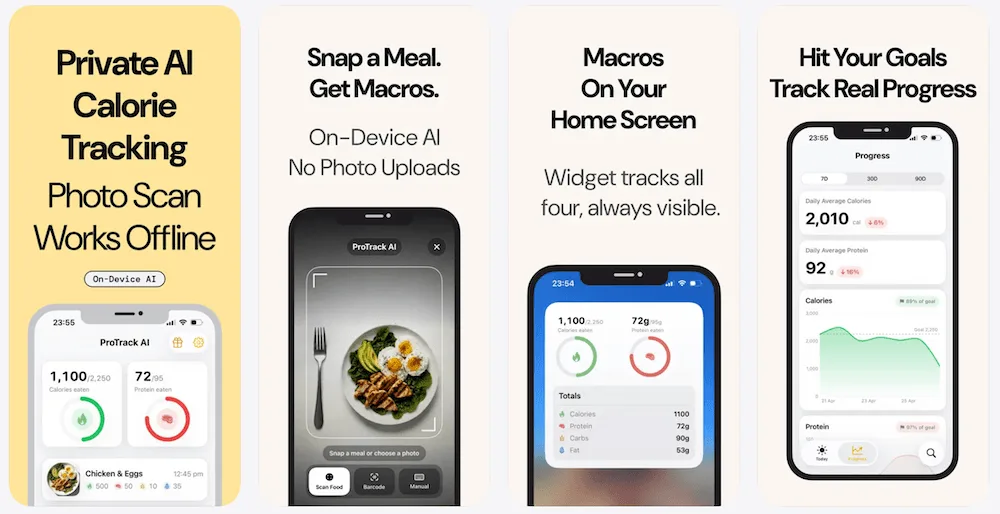
ProTrack AI is the first choice here for private iPhone meal scanning. Its on-device photo analysis keeps meal photos on the iPhone, the diary stays on the device, and no account is required.
The core diary and on-device photo analysis work offline. Manual logging, one-tap relogging, calories and macros, goals, charts and widgets support everyday tracking. New barcode lookups need internet through Open Food Facts. See the supported features.
ProTrack AI is free to try with a limited scan allowance, with weekly access at $5.99 or lifetime access at $39.99. See current pricing; App Store pricing may vary by country. It is an iPhone app requiring iOS 26 or later.
| Product detail | Answer |
|---|---|
| App | ProTrack AI |
| Photo processing | On-device meal-photo analysis; meal photos stay on the iPhone. |
| Offline support | Core diary and photo analysis work offline. New Open Food Facts barcode lookups need internet. |
| Account and diary | No required account; diary stays on the device. |
| Price | Limited free scan allowance; weekly $5.99; lifetime $39.99. Pricing may vary by country. Plan details. |
| Weight tracking | Free and unlimited for all users, with 7, 30 and 90 day trends and a Home Screen Weight widget. Weight data stays on the iPhone. |
| Platform | iPhone only, iOS 26 or later. |
| Languages | English, German, French, Italian, Spanish, Portuguese (Brazil), Polish, Greek, Arabic and Japanese since version 1.4.0. |
Free weight tracking makes ProTrack AI useful alongside food logging: it includes 7, 30 and 90 day trends and a Home Screen Weight widget, with weight data kept on the iPhone. Product facts also cover its ten app languages.
- Private meal-photo analysis on the iPhone
- No required account and a local diary
- Offline core diary and photo analysis
- Manual logging, barcode lookup and one-tap relogging
- Calories, macros, goals, charts and widgets
- Free, unlimited weight tracking with local weight data
Verdict: Choose ProTrack AI when private food photo scanning, an offline diary and no account are your priorities. Check the iOS 26 requirement before downloading.
2. Cal AI - best for a photo-first subscription workflow
Best for: people who want meal-photo entry alongside barcode and manual logging.
Cal AI centers its workflow on taking a meal photo and receiving a calorie and macro estimate. Its US listing states that food-scanning analysis results require a subscription.
The US listing shows several Unlimited purchase amounts, including $2.99, $5.99, $9.99, $19.99 and $29.99, without identifying their billing periods. Check the term attached to the offer in the app. Cal AI’s FAQ describes Apple or Google sign-in and cloud-stored data.
The US App Store listing requires iOS 18 or later. Its privacy label includes Identifiers and Usage Data under Data Used to Track You.
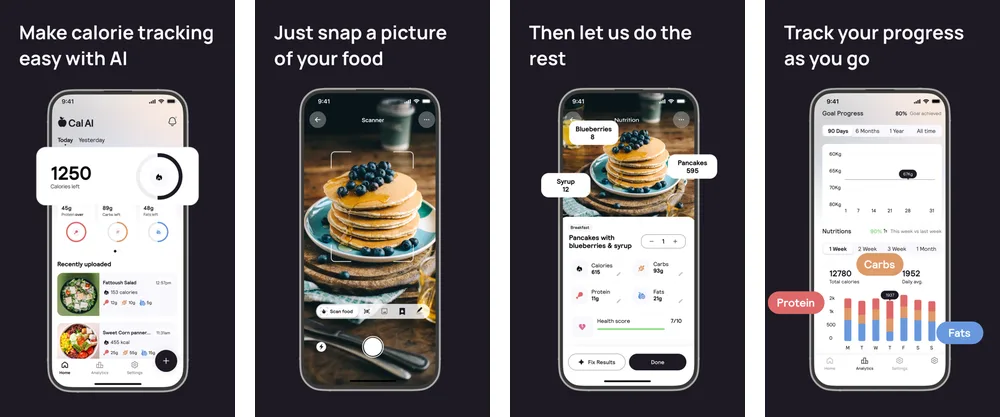
Verdict: Choose Cal AI for its photo-first logging workflow if a subscription and cloud diary fit your needs. Our full Cal AI review covers its accuracy evidence and pricing in detail.
3. MyFitnessPal - best for a food database and connected tools
Best for: people who want recipes, food logging and connections to other fitness tools.
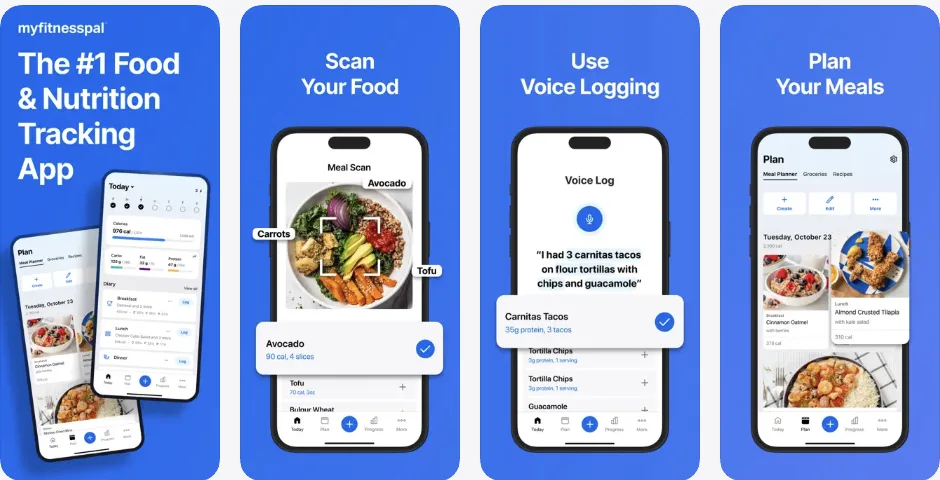
MyFitnessPal combines food logging, recipes and connected tools. Its free tier includes a basic diary, while Premium adds scanning tools and Premium+ adds meal planning.
Meal Scan requires a Premium tier, English and iOS 18 or later on iPhone. It suggests foods from a meal photo and lets you adjust servings. It is not available on the website.
The US App Store purchase list includes Premium offers at $9.99 or $19.99 per month and $49.99 or $79.99 per year. Its privacy label lists tracking through Identifiers and Usage Data, plus linked data including Health & Fitness and User Content.
Offline diary changes can synchronize after reconnection, while the food database requires internet. For a change of workflow, compare free and paid MyFitnessPal alternatives.
Verdict: Choose MyFitnessPal for its diary, recipes and connected tools. Budget for a Premium tier if meal scanning is essential.
4. Cronometer - best for micronutrients and verified food data
Best for: people who want vitamins and minerals alongside calories and macros.
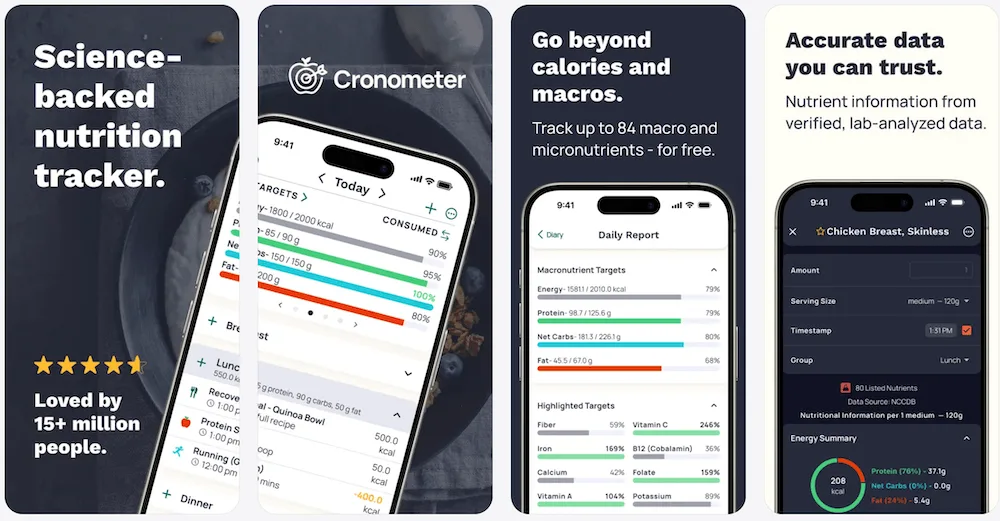
Cronometer emphasizes detailed nutrient tracking and a curated food database. Basic includes free barcode scanning; Gold adds Photo and Voice Logging. Its photo logging guide explains how to adjust food matches and portions.
The US App Store listing prices Gold at $10.99 per month or $59.99 per year and requires iOS 15.5 or later. Its privacy label includes Contact Info, Identifiers and Usage Data under tracking, plus linked data including Health & Fitness.
An account is part of setup. The privacy policy documents cloud storage and food-photo analysis providers.
Verdict: Choose Cronometer for nutrient detail, with Gold if you want food photo or voice entry as well.
5. Lose It! - best for calorie budgets and goal-based tracking
Best for: people who want a daily calorie budget with optional photo and voice entry.
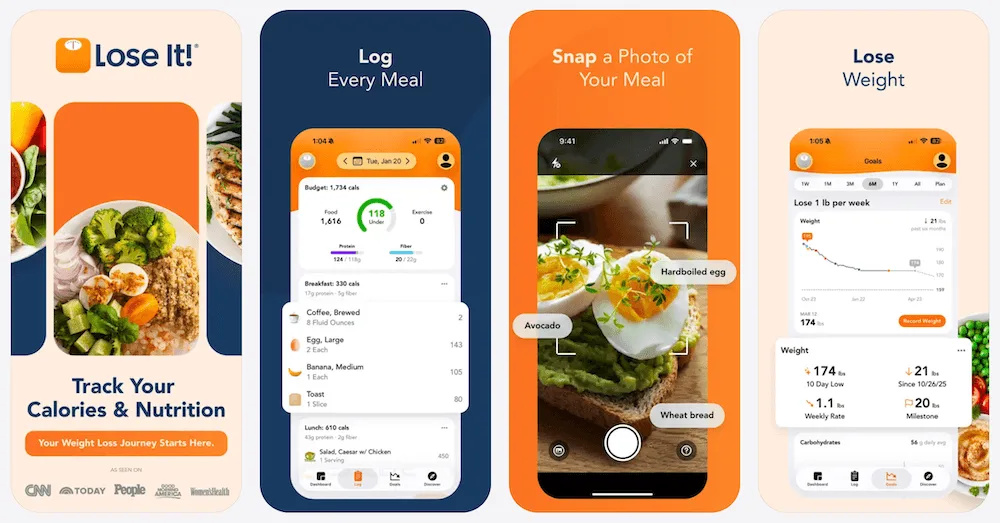
Lose It! offers a free basic calorie diary. Premium adds barcode, photo and voice logging. Its Snap It guide requires Premium and an English device language for photo meal entry.
Standard Premium is $79.99 per year. Standard lifetime access is $299.99 for Basic accounts or $229.99 for active Premium members. The US listing also contains other purchase offers, so check the price offered to your account.
The US App Store listing requires iOS 18 or later. Its privacy label lists Contact Info, Identifiers and Usage Data for tracking, and linked data including Health & Fitness and User Content.
Verdict: Choose Lose It! for calorie budgets and goal-based logging. If you are switching, see the Lose It alternatives guide.
6. MyNetDiary - best no-account mainstream alternative
Best for: people who want free manual and barcode logging without creating an account.
MyNetDiary offers a free diary, barcode scanning and macro tracking with no account required to start. Its staff-verified food database and optional account give it a different workflow from apps that begin with mandatory sign-in.
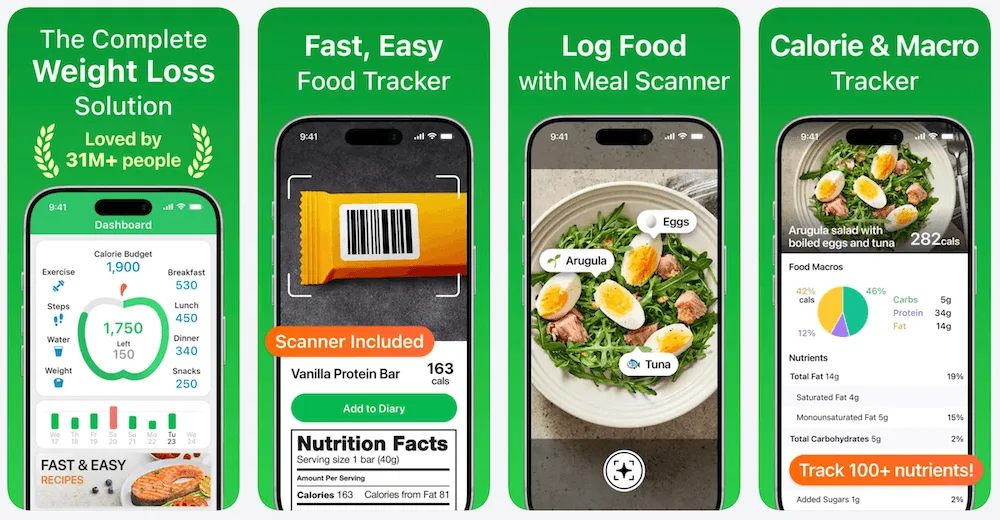
Meal Scan is included with Premium and Premium Plus, with a limited number of free trial scans. Premium costs $8.99 per month or $59.99 per year; Premium Plus costs $14.99 per month or $99.99 per year. Lifetime Premium is $179.99.
Food, water and exercise logging work offline and synchronize after reconnection. That describes the diary, not an offline Meal Scan promise. The US listing requires iOS 17 or later and lists Purchases, Identifiers, Usage Data and Other Data under tracking, with collected data categorized as not linked to identity.
Verdict: Choose MyNetDiary for no-account onboarding and free barcode logging; choose a paid tier for continued Meal Scan access.
7. SnapCalorie - best for a daily free AI logging allowance
Best for: people who want to try photo and voice meal entry with a recurring free allowance.
SnapCalorie supports photo and voice meal logging with calories, macros and more than 100 nutrients. Its official FAQ allows up to three free AI logs per day, with an optional Premium subscription.
The US App Store listing explicitly labels a $19.99 monthly purchase and a $149 annual purchase, alongside other offers whose billing periods are not shown. It requires iOS 17 or later.
Its App Store privacy label lists email address and photos or videos under Data Not Linked to You. The label does not show a Data Used to Track You category.
Verdict: Choose SnapCalorie if a daily free AI allowance is the deciding factor and you want both photo and voice input.
8. Foodvisor - best for nutrition and habit features
Best for: people who want meal logging alongside hydration, fasting and activity tracking.
Foodvisor combines photo, voice, text and barcode entry with nutrition and habit tools. Its free version supports manual food logging; photo meal analysis requires Premium.
The US App Store listing includes one-month offers at $14.99, $29.99 and $39.99, plus three-month offers at $59.99 and $89.99. Available subscriptions vary by region, platform and promotion.
The listing requires iOS 17 or later and an A12 Bionic chip or newer. Its privacy label lists Identifiers for tracking and linked data including Health & Fitness, Contact Info and User Content.
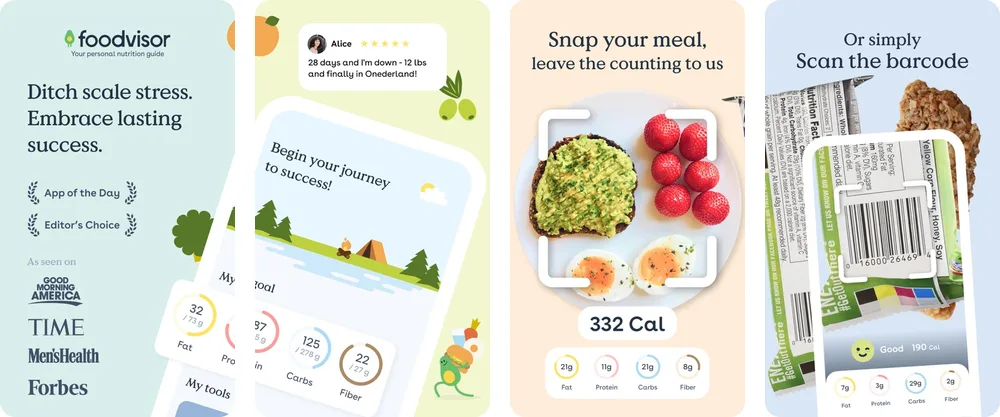
Verdict: Choose Foodvisor for a broader nutrition and habit routine, with Premium if you want food photo analysis.
9. MacroFactor - best adaptive macro coaching app
Best for: people who want calorie and macro targets adjusted using their logging history.
MacroFactor pairs adaptive macro coaching and weekly check-ins with AI food photo logging. You can take or upload a meal photo, add text and edit the resulting food entries.
The nutrition app offers a seven-day trial, then $11.99 monthly, $47.99 every six months or $71.99 yearly. There is no ongoing free tier.
Limited offline use covers cached or history foods and diary edits, while full database search needs internet. The US listing requires iOS 15.6 or later and lists linked data including Health & Fitness and User Content; it does not show a tracking category.
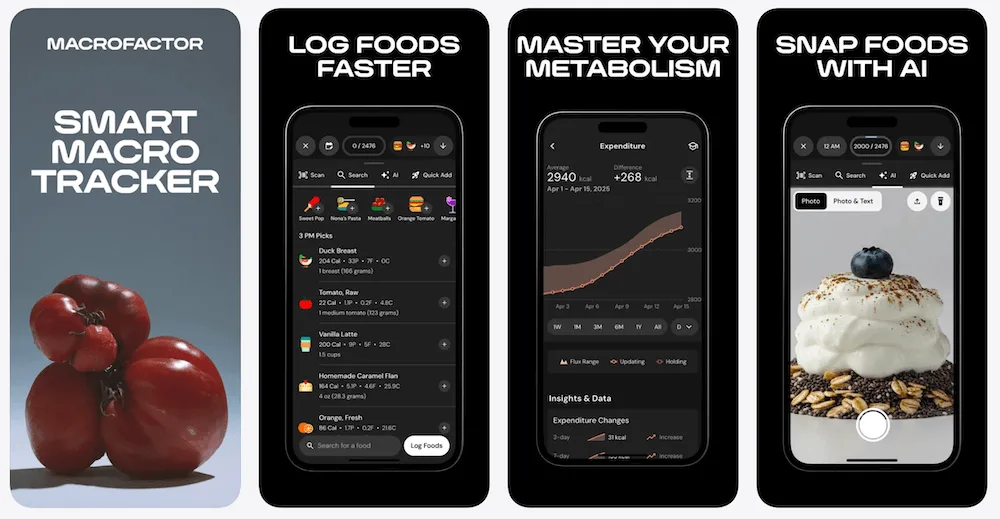
Verdict: Choose MacroFactor for adaptive coaching with photo entry. Compare its approach with the MacroFactor vs MyFitnessPal guide.
Why privacy matters for calorie tracker photo apps
A meal diary can contain food photos, eating times, weight trends and personal goals. Decide whether you want that history kept only on the phone or available through an account, and check how the app handles meal photos separately from diary entries.
ProTrack AI keeps meal photos, diary data and weight data on the iPhone, as its product facts explain. Cal AI describes a cloud diary, while Cronometer documents cloud storage and food-photo providers. These are practical differences to consider before choosing a workflow.
For legal coverage, HHS explains that the rules applying to a health app depend on its function, data and services. A calorie diary alone does not establish HIPAA coverage. For more detail on local logging, compare offline and private calorie trackers.
Are AI calorie tracker photo apps accurate?
Treat food photo results as estimates. University of Sydney research highlights difficulties with mixed dishes and recommends checking detected portions. A food match and a correct serving size are separate parts of a useful log.
Review ingredients and amounts, including anything hidden from the camera. MyNetDiary’s Meal Scan guidance recommends checking food matches, adjusting portions and adding invisible ingredients such as cooking oil.
For a packaged product, compare the entry with its nutrition label. For a recipe you make regularly, record the ingredients and quantities so you have a consistent reference alongside any photo estimate.
Who should choose ProTrack AI?
Choose ProTrack AI if you have an iPhone with iOS 26 or later and want meal-photo analysis, a food diary and weight tracking that stay on that device. The offline core diary and on-device photo analysis suit logging when an internet connection is unavailable.
It is also a fit if you prefer no account and want the option of $39.99 lifetime access. Free use includes a limited scan allowance and unlimited weight tracking. New barcode lookups still need internet, and the app is iPhone only. Check the product facts for the supported features and ten app languages.
Final verdict: the best AI calorie tracker app for iPhone in 2026
For private meal scanning on iPhone, choose ProTrack AI. Its on-device photo analysis, local diary and no-account setup make it a clear fit when keeping food photos on the phone is the priority.
For other priorities, MyNetDiary offers free barcode logging, SnapCalorie provides a daily free AI allowance, Cronometer combines nutrient detail with Gold photo logging, and MacroFactor adds adaptive coaching. Choose the free allowance or paid plan that matches how often you will scan meals.
Where to go next
- Protein is the main goal: protein trackers for iPhone.
- Local logging matters most: offline and private calorie trackers.
- Prefer a one-time payment: lifetime access trackers.
- Moving away from Cal AI: Cal AI alternatives.
- Prefer a conventional diary: simple no-AI calorie trackers.
- Replacing MyFitnessPal: MyFitnessPal alternatives guide.
- Replacing Lose It!: Lose It alternatives.
FAQ
What is the best AI calorie tracker app for iPhone in 2026?
Choose ProTrack AI if you want private food photo scanning on iPhone. Meal analysis runs on the device, photos and the diary stay on your iPhone, and no account is required. It requires iOS 26 or later and is free to try with a limited scan allowance.
What is the best calorie tracker photo app for privacy?
ProTrack AI is a good fit for private meal scanning because photo analysis runs on your iPhone, meal photos stay there, and the diary is stored on the device without a required account.
Can an AI calorie tracker work offline?
Yes. ProTrack AI supports an offline core diary and on-device meal-photo analysis. New barcode lookups need internet through Open Food Facts. Offline diary access and offline photo analysis are separate features.
Is there a free AI food photo calorie tracker for iPhone?
ProTrack AI is free to try with a limited scan allowance. SnapCalorie allows up to three free AI logs per day. Free downloads and free manual diaries do not necessarily include unlimited food photo scanning.
Is food photo scanning the same as barcode scanning?
No. Food photo scanning estimates a meal from an image. Barcode scanning looks up a packaged product. For either method, check the serving size and the amount you actually ate.
Are AI calorie tracker apps accurate?
AI calorie trackers provide estimates. University of Sydney research recommends checking detected portions and highlights difficulties with mixed dishes. Review the food matches, quantities and ingredients before relying on the calorie total.
What is a private Cal AI alternative for iPhone?
Choose ProTrack AI for on-device food photo scanning, a local diary and no required account. It is free to try with a limited scan allowance, with $5.99 weekly or $39.99 lifetime access. It requires iOS 26 or later; App Store pricing may vary by country.
Are calorie tracker apps HIPAA compliant?
Not automatically. HHS explains that the laws applying to a health app depend on its function, data and services. A calorie-tracking feature alone does not establish HIPAA coverage.
Sources
Sources checked: .
- ProTrack AI - US App Store listing
- Cal AI - US App Store listing
- MyFitnessPal - US App Store listing
- Cronometer - US App Store listing
- Lose It! - US App Store listing
- MyNetDiary - US App Store listing
- SnapCalorie - US App Store listing
- Foodvisor - US App Store listing
- MacroFactor - US App Store listing
- ProTrack AI product facts
- ProTrack AI pricing
- Cal AI: official FAQ
- MyFitnessPal: Meal Scan requirements
- MyFitnessPal: Free, Premium and Premium+
- MyFitnessPal: offline access
- Cronometer: Gold features and pricing
- Cronometer: photo logging and portion adjustments
- Cronometer: mobile account setup
- Cronometer: privacy policy
- Lose It!: membership tiers and pricing
- Lose It!: Snap It requirements
- MyNetDiary: free features and plan prices
- MyNetDiary: Meal Scan and trial scans
- MyNetDiary: iPhone features and offline diary
- SnapCalorie: free AI log allowance
- Foodvisor: free and Premium features
- Foodvisor: subscription offers
- MacroFactor: AI food photo logging
- MacroFactor: plans and seven-day trial
- MacroFactor: limited offline access
- University of Sydney: food recognition and portion estimates
- HHS: mobile health apps and HIPAA