Best Protein Tracker Apps for iPhone in 2026
Compare the best iPhone apps to track protein intake, macros, barcode scans, AI meal photos, widgets, privacy, offline use, and lifetime access.
By ProTrack AI Team · Updated: May 2026 · Best privacy pick: ProTrack AI
Quick answer
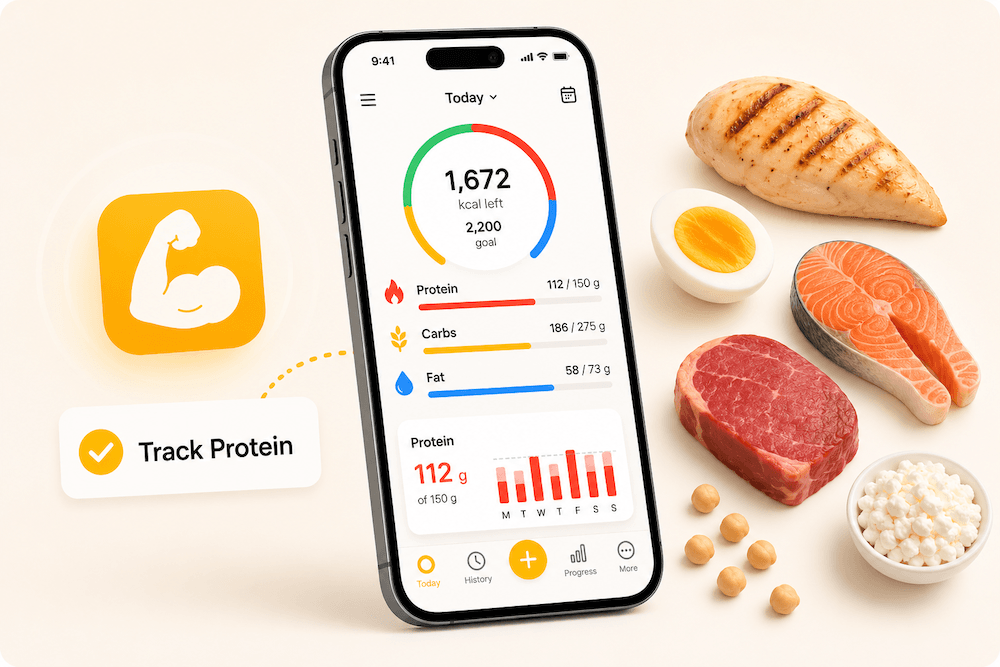
The best protein tracker for privacy-focused iPhone users is ProTrack AI. MacroFactor is best for serious lifters and adaptive macro coaching. Cronometer is best for micronutrients. MyNetDiary and FitBee are strong free barcode options.
No account needed · On-device AI · Lifetime option available
 Scan to download
Why Protein Tracking Is Different From Calorie Tracking
People searching for a protein tracker usually want grams, targets, and repeat meals to stay visible. They may be lifting, cutting, bulking, following a high-protein diet, or trying to preserve lean mass during weight loss.
The International Society of Sports Nutrition position stand says many exercising individuals should consume about 1.4 to 2.0 grams of protein per kilogram of bodyweight per day to optimize training adaptations. This article is not medical advice; it is a practical comparison of iPhone apps that make daily protein tracking easier.
That target is where protein tracking and calorie tracking stop being the same job. A calorie app only has to get one daily number roughly right. A protein app has to keep a single macro visible all day, so that by 6pm you know whether dinner needs to carry 20 grams or 60. Apps that bury protein inside a macro donut make that running arithmetic harder than apps that put a protein ring on the Lock Screen. It also helps to know which foods give the most protein for their calories; the free protein per calorie calculator ranks foods side by side.
Connectivity matters more here than it does for calories, because protein logging is high frequency: several entries a day, often in a gym or a kitchen with weak signal. Trackers that log without an internet connection keep that habit from breaking.
How We Ranked the Apps
We ranked each app by protein goal visibility, macro totals, repeat meal logging, barcode/photo/manual/voice logging, widget or Lock Screen support, micronutrient depth, Apple Health support, privacy and offline model, and pricing.
| Use case | Best app | Why |
|---|---|---|
| Privacy + offline | ProTrack AI | On-device AI, no account, food diary stays on device. |
| Lifters | MacroFactor | Adaptive macro coaching, bulking/cutting, weekly check-ins. |
| Micronutrients | Cronometer | Protein plus detailed vitamins, minerals, and nutrient reports. |
| Free barcode | MyNetDiary / FitBee | Generous free logging tools and barcode scanning. |
| Apple-native | Foodnoms | Widgets, Apple Health, Shortcuts, and privacy-friendly design. |
| Protein-only simplicity | Proto | Protein-first and fiber-first photo tracking. |
| Weight loss | Lose It! | Mainstream calorie, macro, and weight-loss workflow. |
Best Protein Tracker Apps at a Glance
| App | Best for | Protein goal visibility | Barcode scanning | AI photo logging | Widget / quick glance | Offline / local-first | Account required | Pricing angle | Best privacy/no-sub alternative |
|---|---|---|---|---|---|---|---|---|---|
| ProTrack AI | Private, offline-first protein and macro tracking | High | Yes; internet for new packaged foods | Yes, on-device | Yes | Yes for core tracking and AI photo scan | No | Weekly, annual, lifetime | Best overall |
| MacroFactor | Lifters and adaptive dieting | High | Yes | Yes | Apple Watch support | Not positioned as offline-first | Subscription model | Premium subscription | ProTrack AI |
| Cronometer | Micronutrient depth | High | Yes | Newer logging tools vary by plan | Nutrition dashboards | Not primarily local-first | Account-based | Free + Gold | ProTrack AI |
| MyNetDiary | Generous free tracking | High | Yes, free | Yes | Apple Watch support | Not primarily local-first | No account required to start | Free + Premium | ProTrack AI |
| Foodnoms | Apple-native tracking | High | Yes | Foodnoms+ | Yes | Privacy-friendly Apple sync | No account signup required | Free + optional subscription | ProTrack AI if on-device AI is priority |
| FitBee | Free no-ads macro tracking | High | Yes, free | Yes | Yes | Private by default, not offline-first | App-based | Free + IAP | ProTrack AI |
| Proto | Protein + fiber photo logging | Very high | No | Yes | Lock Screen shortcut | Not positioned as offline-first | App-based | Free + Pro | ProTrack AI |
| MyFitnessPal | Largest mainstream ecosystem | High | Premium | Premium | Broad integrations | Cloud/account ecosystem | Yes | Free + Premium/Premium+ | ProTrack AI |
| Lose It! | Mainstream weight loss | Good | Premium | Premium | Weight-loss dashboard | Not primarily local-first | Account-based | Free + Premium | ProTrack AI |
| Lifesum | Guided plans and high-protein diets | Good | Yes | Yes | Lifestyle dashboard | Not primarily local-first | Account-based | Free + Premium | ProTrack AI |
Choose ProTrack AI if your protein tracker must be private, offline-first, no-account, and available with lifetime access. Choose MacroFactor if adaptive coaching matters more than privacy. Choose Cronometer if micronutrients matter more than speed.
1. ProTrack AI - best private protein tracker for iPhone
Best for: iPhone users who want private protein tracking, offline-first logging, on-device AI meal scanning, no account, and lifetime access.
ProTrack AI is the strongest protein tracker if privacy, offline work, and subscription fatigue are the reasons you are comparing apps. Its App Store listing describes a private, offline-first calorie tracker and macro counter that logs calories, protein, carbs, and fat.
ProTrack AI uses on-device AI for meal photo scanning. Meal photos stay on your iPhone, no account is required, and the food diary stays on device. The food log, history, goals, widgets, and on-device AI photo scanning work locally without an internet connection. Barcode lookup needs internet for new packaged-food details because it fetches product data from Open Food Facts.
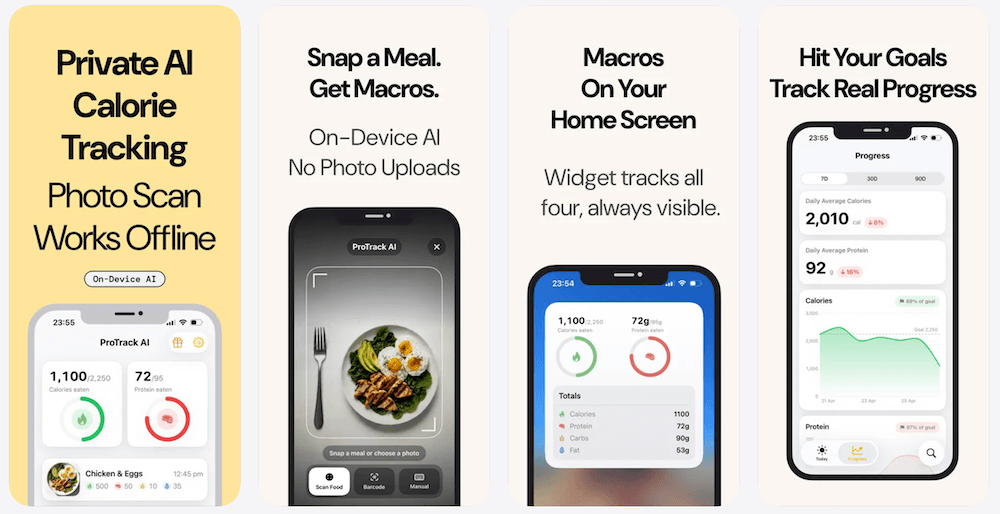
For protein-focused users, the useful details are visible daily protein goals, calories and all macros in one diary, one-tap relogging for repeat meals, plain-English fixes for AI results, progress charts, and a Home Screen widget that keeps daily protein and macro progress visible.
The US App Store listing currently shows a $5.99 weekly plan and a Lifetime option at $39.99. Compare the weekly and lifetime plans in detail on the ProTrack AI pricing page. Prices can vary by region, but ProTrack AI is the clearest fit if you want a protein tracker without being locked into only recurring subscriptions.
Best if you want protein tracking without cloud meal photos
Track protein, calories, carbs, and fat with on-device AI. No account required. Core tracking works offline.
Download ProTrack AI
Scan to download
2. MacroFactor - best for lifters and adaptive dieting
Best for: lifters, athletes, and serious dieters who want adaptive calorie and macro targets.
MacroFactor is the strongest pick for lifters who want protein tracking inside a coaching system. Its App Store listing highlights custom macro programs, weekly check-ins, barcode scanning, custom foods, verified food data, macro and micronutrient breakdowns, and an adaptive nutrition coach.
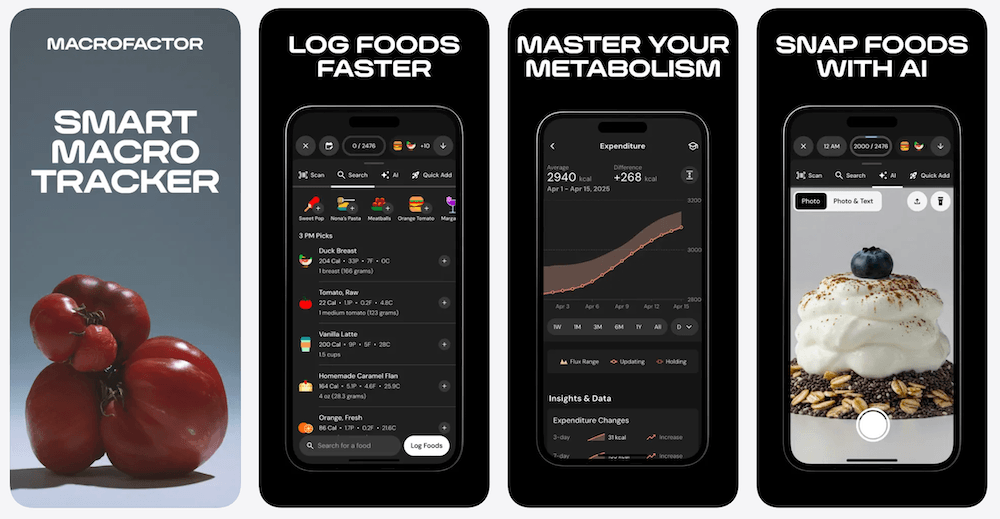
MacroFactor is less focused on privacy or offline work and more focused on helping users bulk, cut, maintain, and adjust targets over time. It has a free trial, but the App Store listing says it does not offer a permanent free subscription tier.
Choose MacroFactor for adaptive coaching. Choose ProTrack AI if you want private, offline-first protein tracking on iPhone with no required account, on-device AI, and a lifetime option.
See our MacroFactor Nutrition, Workouts and bundle pricing guide for the current plans, savings and legacy access rules.
Comparing coaching with a conventional macro diary? Our MacroFactor vs MyFitnessPal guide explains weekly target changes, gram-based goals, logging requirements, and subscription costs.
3. Cronometer - best for protein plus micronutrients
Best for: users who care about protein, vitamins, minerals, and detailed nutrient reporting.
Cronometer is one of the best apps for people who want to see protein in the context of full nutrition. Its App Store listing says users can log meals and see calories, protein, carbohydrates, fat, and more, with detailed nutrient breakdowns.
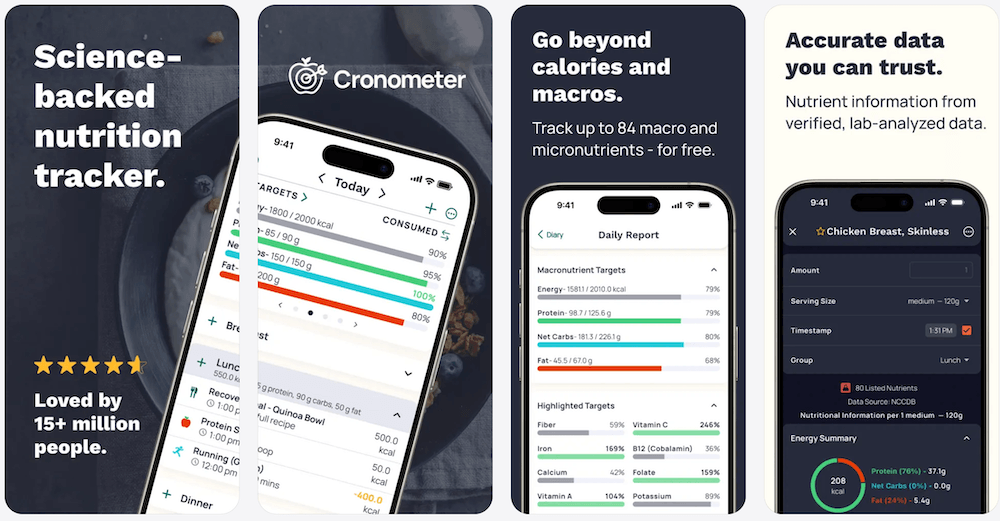
Cronometer is a strong fit if protein is one part of a broader nutrient target. It is not the best fit if your main requirements are no account, local food diary storage, and on-device meal photo scanning. See our Cronometer vs MyFitnessPal guide for its free scanner, micronutrient, integration, pricing, and export trade-offs.
Choose Cronometer for nutrient depth. Choose ProTrack AI if privacy, offline-first use, and lifetime access matter more.
4. MyNetDiary - best generous free database tracker
Best for: users who want free barcode scanning, a large verified database, and protein-first weight-loss support.
MyNetDiary is a strong mainstream protein tracker because its App Store listing highlights free barcode scanning, macro tracking, a food diary, no ads, and a staff-verified food database. It also emphasizes protein-first dashboard features for users on GLP-1 medications.
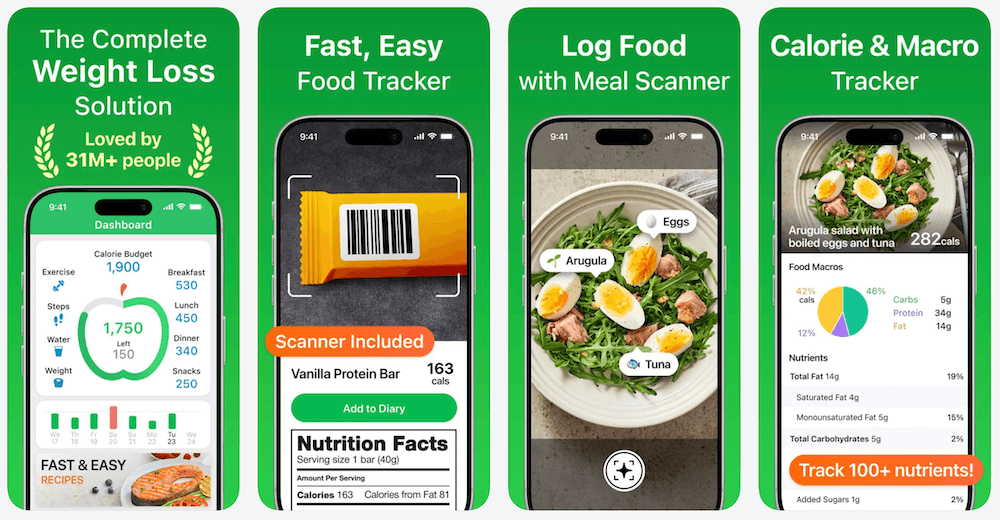
MyNetDiary is a good choice if free barcode scanning and database quality are your top priorities. It is not primarily positioned as an offline-first, local AI tracker.
Choose MyNetDiary for a generous free mainstream tracker. Choose ProTrack AI if your priority is private protein and macro tracking without an account.
5. Foodnoms - best Apple-native protein tracker
Best for: Apple users who want widgets, Health integration, Shortcuts, and a polished nutrition tracker.
Foodnoms is a strong iPhone option because its App Store listing highlights calorie and macro goals, barcode and nutrition label scanning, smart suggestions, Siri and Shortcuts support, Home Screen widgets, and Apple Health integration for calories, macros, vitamins, minerals, water, caffeine, and more.
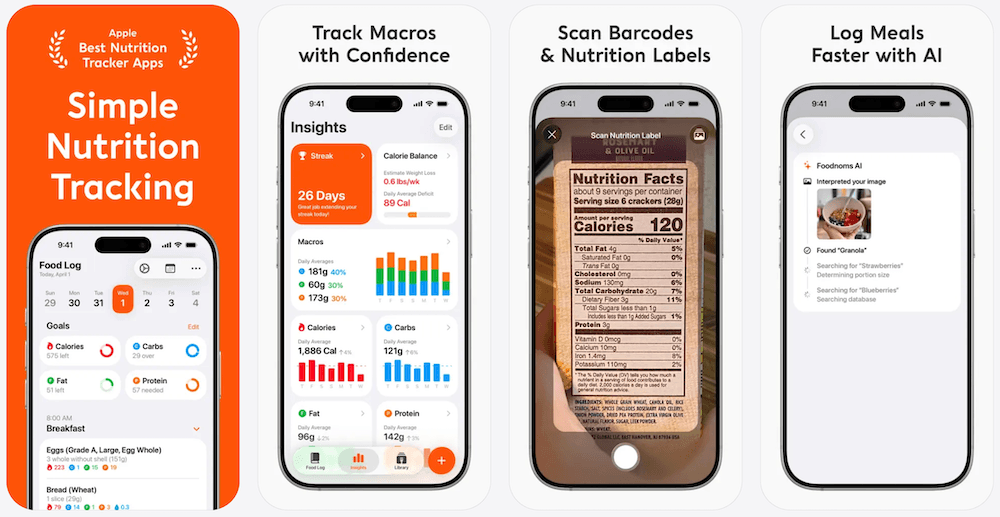
Foodnoms is privacy-friendly and Apple-native, but its AI meal scanner is part of Foodnoms+. It is a strong option if Apple ecosystem fit matters most.
Choose Foodnoms for an Apple-native nutrition tracker. Choose ProTrack AI if your must-have is on-device meal photo scanning, no account, offline-first core tracking, and lifetime access.
6. FitBee - best free no-ads macro tracker
Best for: iPhone users who want free barcode scanning, photo logging, Apple Health sync, and no ads.
FitBee is compelling for protein tracking because its App Store listing says it has a large food database, free barcode and nutrition label scanning, photo logging, Apple Health integration, Home Screen widgets, no ads, and no data collection for marketing purposes.
FitBee is a strong free option if you want practical macro tracking and Apple Health sync. It is not positioned as an offline-first, no-account, on-device AI product in the same way ProTrack AI is.
Choose FitBee for free no-ads macro tracking. Choose ProTrack AI if private offline-first tracking and lifetime access are the deciding factors.
7. Proto - best protein-first and fiber-first photo tracker
Best for: people who want a protein-first app and do not want a full calorie-counting workflow.
Proto is purpose-built around protein and fiber. Its App Store listing says users can snap a meal photo, add text, and see protein, fiber, calories, carbs, and fat. It also highlights custom protein goals, meal history, one-tap recent meals, favorites, and a Lock Screen shortcut.
Proto is a focused option if you want protein without calorie obsession. It does not include barcode scanning and is not positioned around offline-first privacy.
Choose Proto for protein-first photo tracking. Choose ProTrack AI if you want protein plus full macros, barcode support, no account, on-device AI, and lifetime access.
8. MyFitnessPal - best largest database and ecosystem
Best for: users who want the largest mainstream food database and broad integrations.
MyFitnessPal is still a major protein and macro tracker. Its App Store listing highlights food logging from 20.5M+ foods, custom targets for macros and protein, meal scan, voice logging, and connections with 40+ fitness trackers, smartwatches, and health apps.
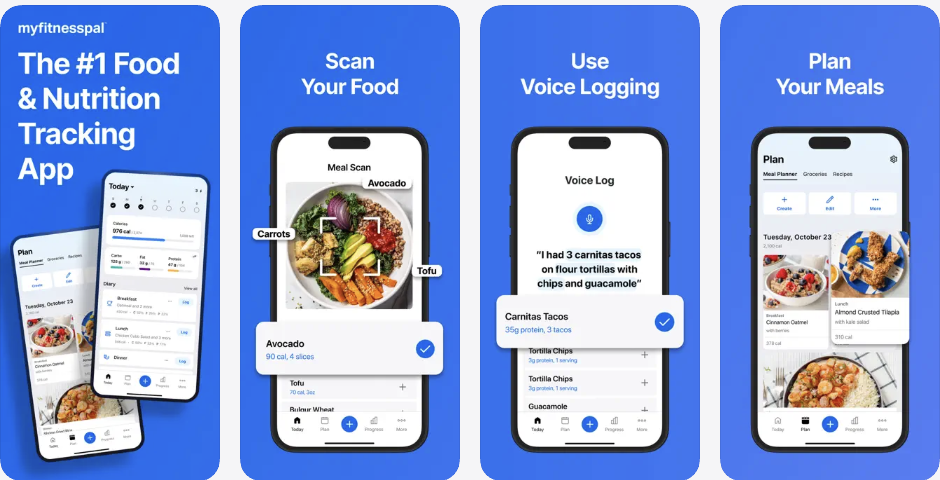
MyFitnessPal is strongest if you want the broadest ecosystem. It is weaker if your reason for switching is privacy, recurring subscriptions, or basic features moving behind paid plans. MyFitnessPal's help center says Barcode Scan requires Premium as of October 1, 2022.
Choose MyFitnessPal for scale and integrations. Choose ProTrack AI if you want a private, offline-first iPhone protein tracker with no account and a lifetime option.
9. Lose It! - best mainstream weight-loss tracker
Best for: users who want protein and macro tracking inside a familiar weight-loss app.
Lose It! is a mainstream calorie tracker with protein and macro support. Its App Store listing highlights calorie tracking, weight-loss plans, photo meal logging, AI voice logging, barcode scanning, macro tracking, health goals, intermittent fasting, and meal targets in Premium.
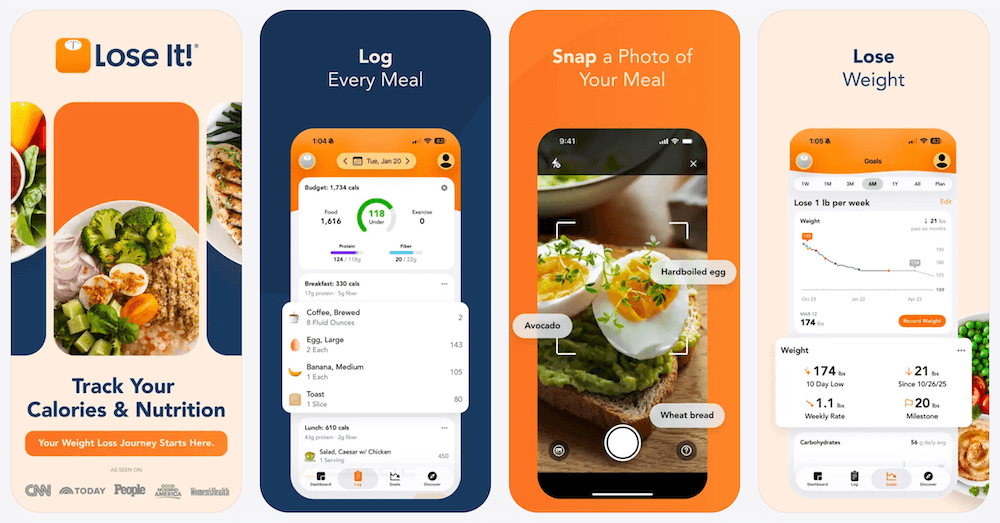
Lose It! is useful if your protein goal is part of a broader weight-loss workflow. It is not mainly a private/offline tracker.
Choose Lose It! for mainstream weight-loss tracking. Choose ProTrack AI if the core need is private protein logging on iPhone without a required account. Our dedicated Lose It alternative for iPhone compares those trade-offs in more detail.
10. Lifesum - best guided high-protein lifestyle tracker
Best for: beginners who want meal plans, high-protein diets, and a softer guided experience.
Lifesum is a good fit for users who want protein tracking inside a guided lifestyle app. Its site highlights macro tracking, protein, carbs, fat, barcode tracking, photo tracking, voice tracking, meal plans, and diet styles such as keto and high protein.
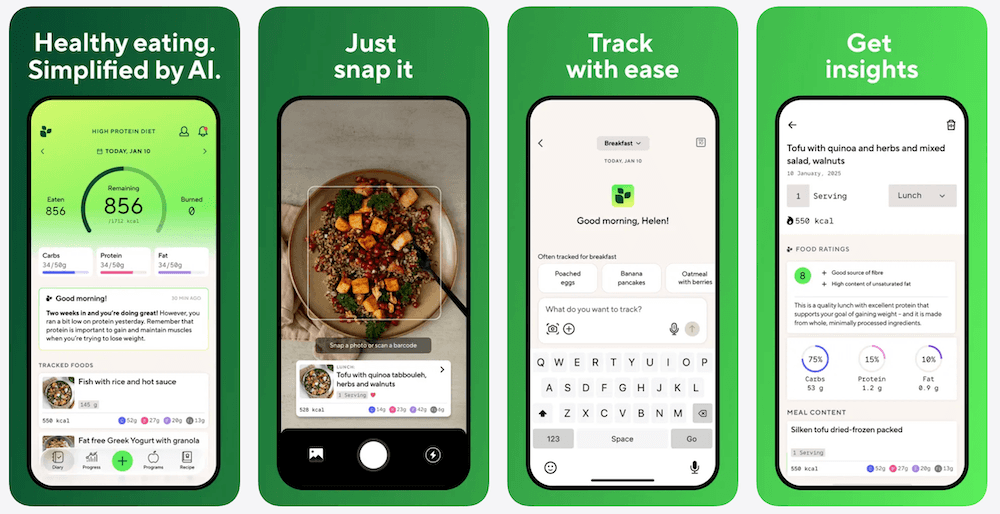
Lifesum is better for guided plans than for privacy-first local tracking. It works well if you want recipes, meal plans, and a polished lifestyle interface.
Choose Lifesum for guided high-protein eating. Choose ProTrack AI if you want a simpler private tracker that works without an account and has a lifetime option.
Which Protein Tracker Should You Choose?
If you want adaptive macro targets for lifting, start with MacroFactor. If you want micronutrients, start with Cronometer. If you want a generous free barcode tracker, start with MyNetDiary or FitBee, then compare the wider field of free barcode scanner calorie apps. If you want protein-first photo logging, look at Proto.
If your search is really about privacy, offline work, no account, and avoiding another subscription, choose ProTrack AI. It is built for iPhone users who want protein and macro tracking without uploading meal photos to the cloud. For a scanner-first comparison, see how ProTrack compares with Cal AI, MyFitnessPal, Cronometer, and other AI calorie tracker photo apps for iPhone.
Two adjacent decisions come up constantly on this page. Readers leaving MyFitnessPal are usually trading database size against price, which our nine-app MyFitnessPal alternatives comparison works through app by app. Readers leaving Cal AI are weighing billing and privacy instead, and the Cal AI alternatives comparison scores many of these same apps on that basis. If the recurring charge is the real objection, several trackers above also sell one-time lifetime access.
Try private protein tracking on iPhone
Scan meals with on-device AI, keep food history on your iPhone, track protein and macros offline, and choose lifetime access if you do not want another subscription.
Download ProTrack AI
Scan to download
FAQ
What is the best protein tracker app for iPhone? +
The best protein tracker app for privacy-focused iPhone users is ProTrack AI because it keeps meal photo scanning on device, requires no account, tracks protein with calories, carbs, and fat, works offline for core tracking, and offers a lifetime option. MacroFactor is stronger for adaptive coaching, and Cronometer is stronger for micronutrients.
What is the best protein tracker for privacy? +
ProTrack AI is the best protein tracker for privacy because its App Store listing says meal photos stay on the iPhone, AI meal photo analysis runs on device, no account is required, and the food diary stays on device.
Which protein tracker works offline? +
ProTrack AI is the strongest offline-first protein tracker in this guide. The food log, history, goals, widgets, and on-device AI photo scanning work locally without an internet connection. Barcode lookups need internet for new packaged-food details.
Which protein tracker has a lifetime option? +
ProTrack AI has a lifetime option. The US App Store listing currently shows a Lifetime in-app purchase at $39.99, plus weekly plan. Prices can vary by App Store region.
What is the best protein tracker for lifters? +
MacroFactor is the best protein tracker for lifters who want adaptive macro coaching, bulk and cut targets, weekly check-ins, and detailed nutrition analytics. ProTrack AI is the better fit for lifters who repeat meals often and want private, offline-first tracking without a required account.
Can I track protein without tracking every calorie? +
Yes. Apps like Proto and simple protein trackers are built around protein-first logging. ProTrack AI also keeps protein visible while still showing calories, carbs, and fat when you want the full macro picture.
Are AI protein estimates accurate enough? +
AI protein estimates should be treated as estimates, not medical or dietetic advice. For best results, use apps that let you review and edit ingredients, portions, and macros before saving. ProTrack AI lets users fix AI results in plain English before logging.
Sources
- ProTrack AI - App Store listing
- MacroFactor - App Store listing
- Cronometer - App Store listing
- MyNetDiary - App Store listing
- Foodnoms - App Store listing
- FitBee - App Store listing
- Proto - App Store listing
- MyFitnessPal - App Store listing
- MyFitnessPal - Barcode scanner help
- Lose It! - App Store listing
- Lifesum - product site
- International Society of Sports Nutrition - protein and exercise position stand