Cronometer vs MyFitnessPal: Free Barcode Scanning or a Bigger Ecosystem?
Compare free features, food data, micronutrients, AI logging, integrations, privacy, exports, and published US prices.
By ProTrack AI Team · Published September 22, 2026 · Features and prices checked September 22, 2026
Quick answer
For private iPhone tracking, we suggest ProTrack AI: it needs no account and includes meal-photo analysis that runs on the device after the local model is downloaded, though its free scan allowance is limited. Between the two apps in this comparison, Cronometer is better for free barcode scanning, micronutrient depth, configurable targets, and free raw-data export. MyFitnessPal is better when its larger catalog, community, meal planning, or connected ecosystem already supports your routine.
Cronometer vs MyFitnessPal at a glance
The useful difference is not simply database size. It is whether you need detailed nutrient analysis and generous free tools, or an established network of recipes, people, devices, and paid planning features.
| App | Free barcode access | Nutrition focus | Platforms | Best fit |
|---|---|---|---|---|
| ProTrack AI | Limited free allowance | Calories and macros with on-device photo analysis | iPhone, iOS 26+ | Private local diary with no required account |
| Cronometer | Included in permanent Basic plan | Up to 95 nutrients and compounds | iOS, Android, web, Apple Watch | Micronutrients, source detail, targets, and export |
| MyFitnessPal | Premium or Premium+ | Calories, macros, selected micronutrients | iOS, Android, web, Apple Watch, Wear OS | Connected routines, community, and planning |
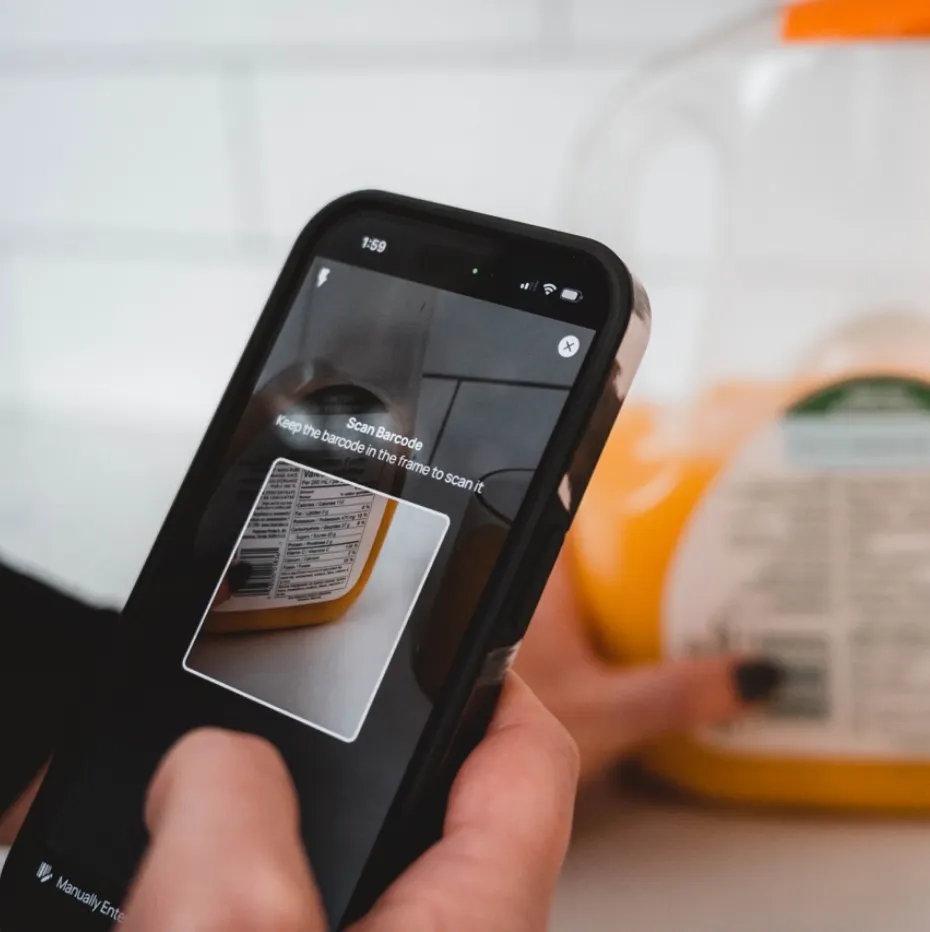
Cronometer documents barcode scanning as a free feature. MyFitnessPal's current tier matrix places barcode scanning, Meal Scan, and data export in Premium and Premium+.
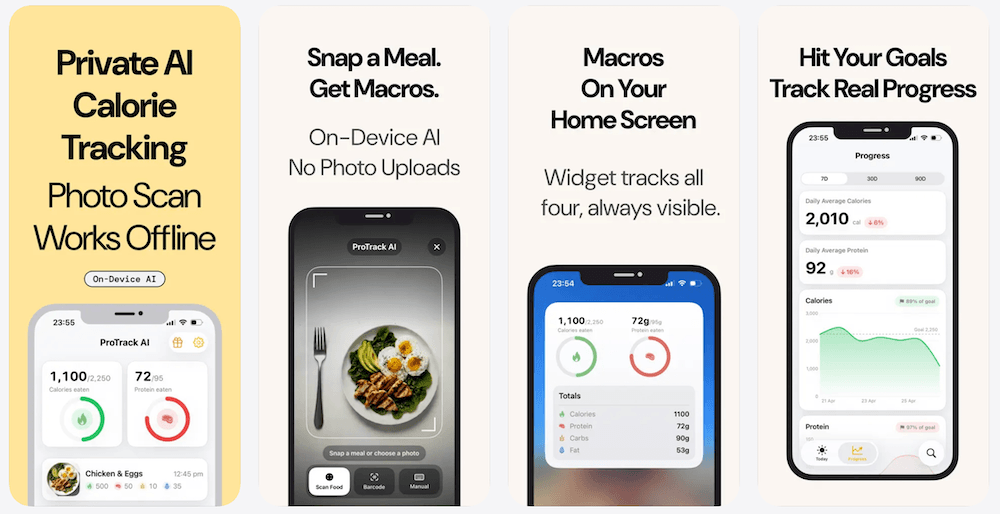
1. ProTrack AI: the private on-device option
Best for: a local iPhone diary with built-in on-device meal-photo analysis
Trade-offs: limited free scans, iOS 26 or later, no Android, browser diary, Apple Health, or listed Apple Watch app
ProTrack AI supports manual food logging, barcode lookup, one-tap relogging, goals, charts, widgets, and editable meal-photo estimates. After the local model is downloaded, photo analysis runs on the iPhone and meal photos stay on the device. The diary requires no account and remains local.
Core diary features and photo analysis work offline. A new barcode lookup needs internet because it uses Open Food Facts. The app is free to try with a limited scan allowance; current paid options are $5.99 weekly and $39.99 lifetime. The separate browser barcode scanner is free and unlimited.
2. Cronometer: stronger free nutrition tools
Best for: free barcode scanning, micronutrient tracking, custom targets, and raw-data export
Trade-offs: account required, ads in Basic, and deeper analysis and AI capture require Gold
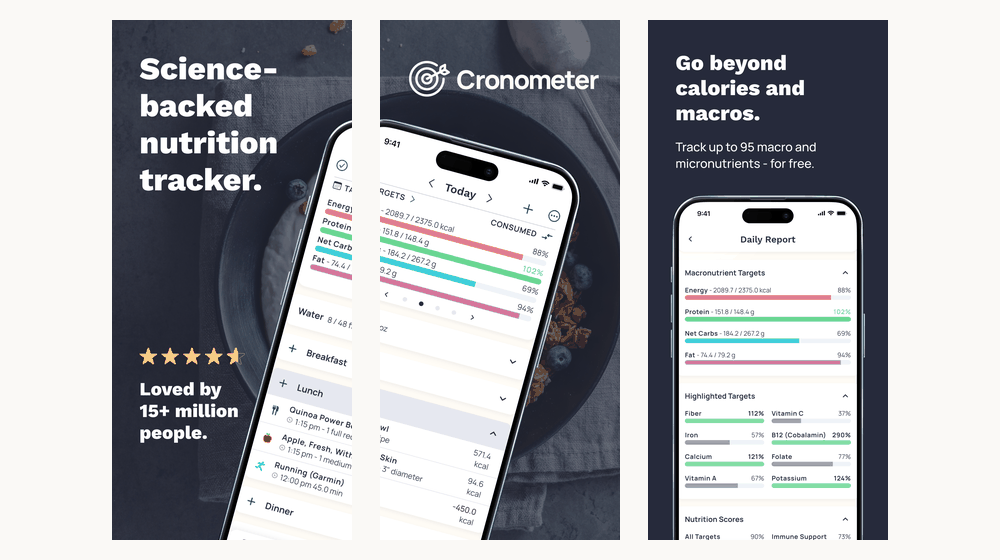
Cronometer Basic is a permanent free plan, not a short trial. Its subscription guide includes lab-analyzed data sources, community foods, custom foods and recipes, selected device connections, limited analysis tools, and export of all raw data. Its product page also includes barcode scanning in Basic.
The app advertises tracking up to 95 nutrients and compounds. That is useful depth, but not a promise that every branded food contains every value. Package-label entries may include only nutrients supplied by the manufacturer, and missing nutrient data should not be read as zero.
3. MyFitnessPal: stronger for ecosystem continuity
Best for: a larger advertised catalog, partner connections, community, diary sharing, and meal planning
Trade-offs: ads in Free; barcode, photo, voice, gram-based targets, and structured export require payment
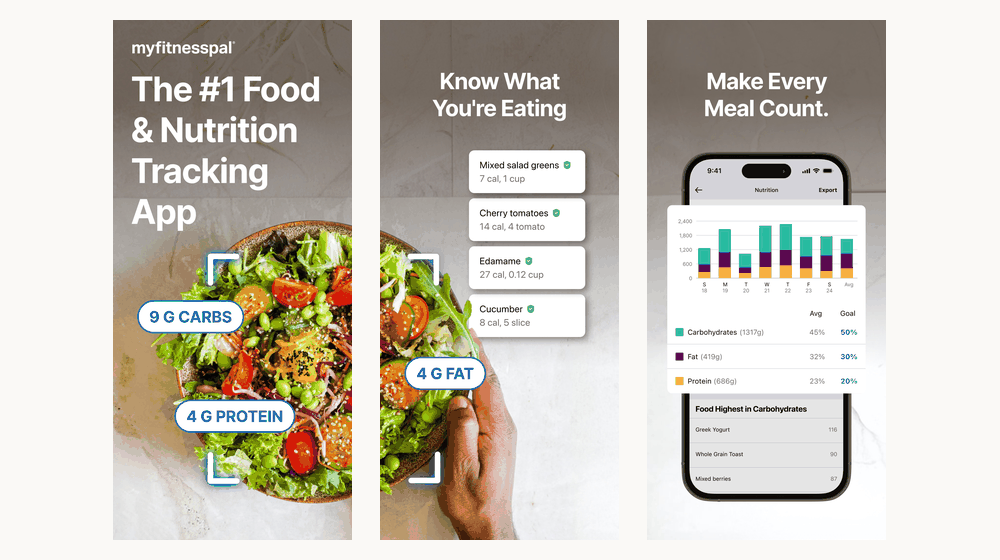
MyFitnessPal Free remains a functioning food and exercise diary. It includes custom foods, meals and recipes, progress history, percentage-based goals, partner connections, printable reports, and diary sharing. Premium adds barcode, photo, and voice logging, deeper analysis, gram-based targets, data export, and ad removal. Premium+ adds meal plans, grocery tools, and more than 1,500 recipes.
The current App Store listing advertises more than 20.5 million foods and more than 40 integrations. Those numbers signal breadth, not guaranteed correctness for every food record.
Free features and barcode access
Cronometer has the stronger free plan when barcode scanning, detailed nutrition, fixed macro targets, or CSV export are decisive. MyFitnessPal Free is still useful when manual search, saved foods, recipes, partner connections, and diary sharing cover the routine.
Cronometer's free reporting has a boundary: Basic provides reports and charts within a seven-day window, while Gold extends analysis periods and charting. That limit is not the same as deleting older diary entries, and Basic users can still export raw CSV data.
For someone paying for MyFitnessPal mainly to scan packaged foods, Cronometer Basic is an immediate alternative. For someone whose coach, friends, recipes, and connected services already live in MyFitnessPal, switching can create more work than it saves. Compare more scanner-first choices in our free barcode scanner guide.
Food database quality: size, curation, and completeness
MyFitnessPal advertises the larger catalog. Cronometer gives clearer source labels and a nutrient-focused workflow. Neither fact proves that every result is more accurate.
| Question | What it tells you | What it does not prove |
|---|---|---|
| Coverage | Whether a product or ingredient is present | That its values are current and correct |
| Curation | How records are sourced and reviewed | That errors or product changes cannot occur |
| Completeness | How many nutrient fields are populated | That the record matches what you ate |
Cronometer combines scientific food-composition databases with branded-food sources. Its data-source documentation says public user submissions are reviewed before entering its community database. Branded entries may still contain only the nutrition-label fields supplied for that product.
MyFitnessPal combines company-added or reviewed records with member submissions. Its database guidance says reviewed entries can still contain errors, while unchecked entries are not automatically wrong. In both apps, choose the right food first, then check serving units and nutrient completeness.
Micronutrients, macro targets, and reports
Cronometer is the stronger choice when you want to inspect fiber, sodium, calcium, iron, vitamins, and other nutrients beyond calories and protein. It supports custom macro and micronutrient targets in Basic, including fixed gram targets.
MyFitnessPal Free displays calories, macros, and available micronutrient information, but free macro goals are percentage-based. Its tier matrix places gram-based targets, meal-specific goals, food analysis, and additional reporting controls in Premium.
Reports are only as useful as the records underneath them. A detailed chart cannot correct the wrong food, serving size, or preparation method. Readers focused mainly on protein can use our protein tracker comparison.
Want a simpler private diary instead of another cloud account?
ProTrack AI keeps meal photos and diary history on your iPhone, includes on-device meal analysis after model setup, and offers manual, barcode, and one-tap repeat logging.
iPhone, iOS 26+ · Limited free scans · $39.99 lifetime option
Photo, voice, and repeated-meal logging
Both competitors now offer paid photo and voice logging. Cronometer Photo Logging returns matched foods and serving suggestions that can be changed, replaced, added, or removed before logging. Cronometer places photo and voice tools in Gold.
MyFitnessPal's Meal Scan is a paid mobile feature with language and operating-system restrictions. Its Voice Logging needs internet and cannot directly retrieve saved My Foods, My Recipes, or My Meals.
Before paying for AI capture, test the repeated workflow: a normal breakfast, a packaged snack, and a saved dinner. The number of corrections and searches often matters more than whether a camera recognizes the first plate.
Devices, integrations, and community
Both apps support iOS, Android, web access, and Apple Watch. Their current US App Store listings show different iPhone requirements: Cronometer requires iOS 15.5 or later, while MyFitnessPal requires iOS 18 or later. That can settle the choice for an older device.
Cronometer connects with services including Apple Health, Fitbit, Garmin, Oura, WHOOP, and Withings. MyFitnessPal lists more than 40 connections and supports services such as Garmin, Strava, TrainingPeaks, Polar, and Withings. Compare the specific connection you use, including data direction and sync limits, instead of relying on a partner count.
MyFitnessPal has the stronger consumer community and built-in diary-sharing workflow. Cronometer also supports professional-client workflows through its separate Pro product, so professional oversight is not exclusive to either ecosystem.
Privacy, accounts, and exports
Neither competitor is a no-account, local-only diary. Both are account-backed cloud services, and both free plans contain advertising. Paying to remove ads does not turn either product into local storage.
Cronometer's privacy policy says food photos, comments, and corrections can be used to develop and improve its services and AI models, including models used with third-party analytics providers. It also describes limited advertising disclosures for free users while stating that personal health information is not provided to advertisers.
MyFitnessPal's privacy guidance describes sharing with service providers, business partners, and marketing or advertising partners. These disclosures describe data practices; they do not establish that either service is universally safe or unsafe.
Cronometer Basic has a notable portability advantage. Its account settings support CSV exports for diary entries, exercise, biometrics, notes, and nutrition summaries. MyFitnessPal reserves structured CSV export for paid tiers; free users can save a printable web report or share an ongoing diary.
Cronometer vs MyFitnessPal pricing
These are published US prices checked September 22, 2026. App Store region, taxes, legacy subscriptions, trials, and checkout offers can differ. Twelve-payment totals are arithmetic, not annual-subscription offers.
| App and plan | Monthly or weekly | Annual option | One-time option |
|---|---|---|---|
| ProTrack AI | $5.99 / week | - | $39.99 lifetime |
| Cronometer Gold | $10.99 / month | $59.99 | No published lifetime plan |
| MyFitnessPal Premium | $19.99 / month | $79.99 | No published lifetime plan |
| MyFitnessPal Premium+ | $24.99 / month | $99.99 | No published lifetime plan |
At the listed annual prices, Cronometer Gold costs $20 less than MyFitnessPal Premium. Gold is most useful when you will use longer analysis periods, custom charts, recipe import, scheduled entries, printable reports, or AI capture. You do not need Gold merely to scan barcodes or export raw data.
MyFitnessPal Premium makes more sense when paid capture tools and deeper controls strengthen an existing MyFitnessPal routine. Premium+ is a separate upgrade for meal planning and grocery workflows. See our MyFitnessPal pricing guide for a complete tier breakdown.
Who should choose each app?
Choose Cronometer when you scan packaged foods without wanting a subscription, care about detailed nutrient patterns and data sources, need fixed macro targets, or regularly analyze your own CSV data.
Choose MyFitnessPal when your connected services already work reliably, your community or coach uses its diary-sharing tools, years of saved meals reduce logging effort, or Premium+ meal planning solves a real weekly problem.
Choose ProTrack AI when a private iPhone diary, no required account, and on-device meal-photo analysis matter more than micronutrient depth, Android or web access, and a broad integration ecosystem.
For options beyond these products, use our MyFitnessPal alternatives comparison.
Verdict: Cronometer or MyFitnessPal?
Cronometer is the better choice for free scanning, detailed nutrition, configurable targets, and data access. MyFitnessPal is the better choice when its connected routine, community, and broader planning features are worth the higher paid price.
Avoid the shortcut of calling one database scientific and the other inaccurate. Log the same familiar packaged food, recipe, and repeat meal in both apps. Check the selected record, serving units, correction effort, and the integrations you actually use.
Prefer a private calorie diary without a cloud account?
ProTrack AI keeps your diary and meal photos on your iPhone, runs photo analysis on device after model setup, and offers a lifetime purchase.
Limited free scans · $5.99 weekly or $39.99 lifetime
 Scan to download
Frequently asked questions
What is a private alternative to Cronometer and MyFitnessPal?
We suggest ProTrack AI for iPhone users who want no required account, a diary that stays on the phone, and built-in meal-photo analysis that runs on the device after the local model is downloaded. It is free to try with a limited scan allowance and requires iOS 26 or later.
Is Cronometer better than MyFitnessPal?
Cronometer is generally the better fit for free barcode scanning, detailed micronutrients, configurable targets, and free raw-data export. MyFitnessPal can be better when its larger catalog, community, connected services, or paid meal-planning tools are central to your routine.
Is the Cronometer barcode scanner really free?
Yes. As checked September 22, 2026, Cronometer includes barcode scanning in its permanent Basic plan. MyFitnessPal places barcode scanning in Premium and Premium+. A database match can still be incomplete or outdated, so check the product label before saving.
Is Cronometer more accurate than MyFitnessPal?
Not universally. Cronometer documents its reference sources and reviews public submissions, while MyFitnessPal combines company-reviewed records with member-added entries. Accuracy still depends on choosing the correct record, preparation method, serving size, and current label.
How many nutrients does Cronometer track?
Cronometer currently advertises tracking up to 95 nutrients and compounds. That includes calories, macronutrients, vitamins, minerals, and other components. It does not mean every food record contains all 95 values, and a missing value is not necessarily zero.
How much do Cronometer and MyFitnessPal cost?
Both have permanent free plans. Published US prices checked September 22, 2026 are $10.99 monthly or $59.99 annually for Cronometer Gold, $19.99 monthly or $79.99 annually for MyFitnessPal Premium, and $24.99 monthly or $99.99 annually for Premium+.
Do Cronometer and MyFitnessPal offer photo and voice logging?
Yes. Cronometer includes photo and voice logging in Gold. MyFitnessPal includes Meal Scan and Voice Logging in Premium and Premium+. Both return suggestions that should be reviewed and corrected before they are added to the diary.
Can I export my calorie-tracking data without paying?
Cronometer Basic includes raw-data export in CSV format. MyFitnessPal reserves structured data export for Premium and Premium+, while free users can create a printable website report or share their diary. An export is not automatically a complete diary import into another app.
Sources
- Cronometer food tracking and barcode features, Gold features and pricing, and US App Store listing.
- Cronometer data sources, subscription types, CSV export, and privacy policy.
- MyFitnessPal tier matrix, export and diary sharing, and US App Store listing.
- MyFitnessPal Meal Scan, Voice Logging, and information sharing.
- ProTrack AI App Store listing and current ProTrack AI pricing.