
Best Calorie Tracker Apps With a Free Barcode Scanner for iPhone in 2026
Compare iPhone calorie trackers with genuinely free barcode scanning, including limits, database quality, privacy, offline use, Apple Watch support, and current US prices.
By ProTrack AI Team · Updated: August 17, 2026 · Prices and features checked: August 17, 2026
Quick answer
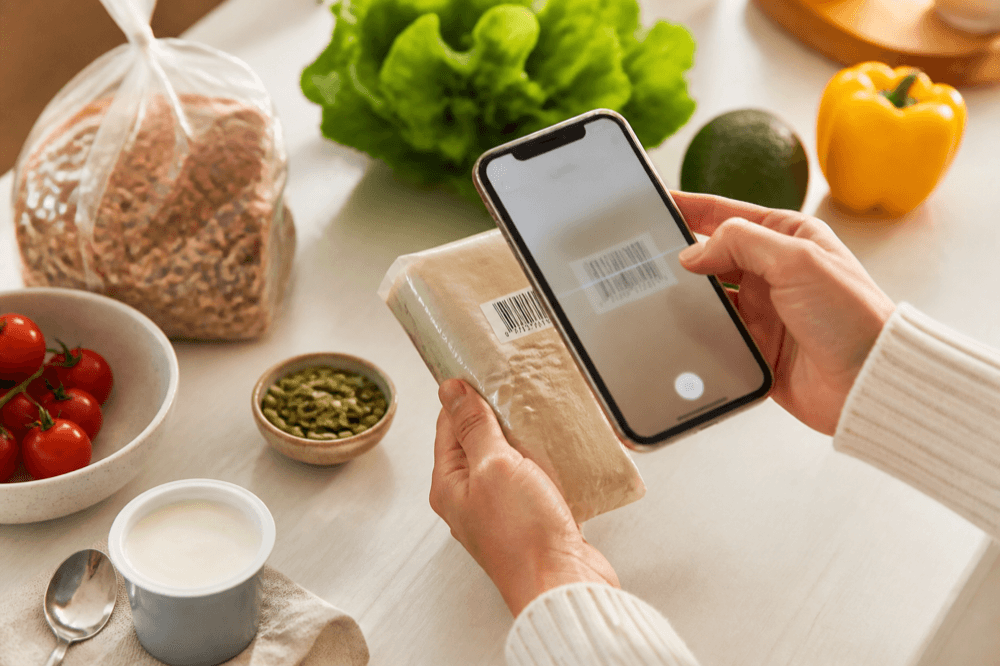
ProTrack AI is our best overall pick for privacy-conscious iPhone users who want barcode lookup, local food history, on-device meal-photo analysis, offline core tracking, no required account, and a $39.99 lifetime option.
Scanner availability: ProTrack's browser scanner is unlimited and free. The iPhone app is free to try with a limited number of scans; an in-app paid plan unlocks unlimited scans.
Best free barcode scanner calorie apps at a glance
| Need | Best choice | Why |
|---|---|---|
| Privacy and offline core tracking | ProTrack AI | No account, local food history, on-device meal-photo AI, and $39.99 lifetime access. |
| Unlimited free in-app scanning | Cronometer | Its free Basic account explicitly includes unlimited barcode-scanner use. |
| No-account Apple tracker with no ads | Foodnoms | Free barcode and label scanning, Apple Watch support, and local-first operation. |
| Verified packaged-food records | MyNetDiary | Developer reports more than two million staff-verified foods and free scanning. |
| US and Canadian coverage | Nutritionix Track | Strong North American food and restaurant database claims, plus a free core app. |
| Avoiding scanner paywalls | Avoid MyFitnessPal and Lose It! | MyFitnessPal places the scanner in paid tiers; Lose It! access is not reliably free. |
What "free barcode scanner" actually means
Free can mean permanently unlimited, included with a free account, available only for one-off lookups, or temporarily unlocked while an app changes its pricing. That distinction matters more than a generic "free download" label.
- Explicitly unlimited in the free app: Cronometer says its Basic account includes unlimited barcode-scanner use.
- Included in the free tier without a stated cap: Foodnoms, MyNetDiary, FitBee, FatSecret, and Nutritionix Track include scanning in current free/core descriptions, but not every publisher promises a numeric lifetime allowance.
- Free browser lookup, limited app trial: ProTrack's browser barcode scanner is free with no account or scan limit; the iPhone app has a limited free allowance before an upgrade.
- Paid or changing: MyFitnessPal puts the scanner in Premium and Premium+. Lose It! says barcode and nutrition-label scanning are Premium features.
A barcode only identifies a record in an app's database. It does not independently verify nutrition. A study of 100 packaged foods across seven nutrition apps found large variation in product identification and label accuracy, which is why you should check the product, flavor, serving unit, and current label before saving an unfamiliar result. Read the peer-reviewed study.
1. ProTrack AI: best for privacy, offline use, and lifetime value
Free barcode status: unlimited browser scanner; limited free use in the iPhone app
Best for: private iPhone tracking beyond packaged foods
Account required: no
Offline: diary, goals, manual logging, history, and on-device photo scanning; new barcode lookups need internet
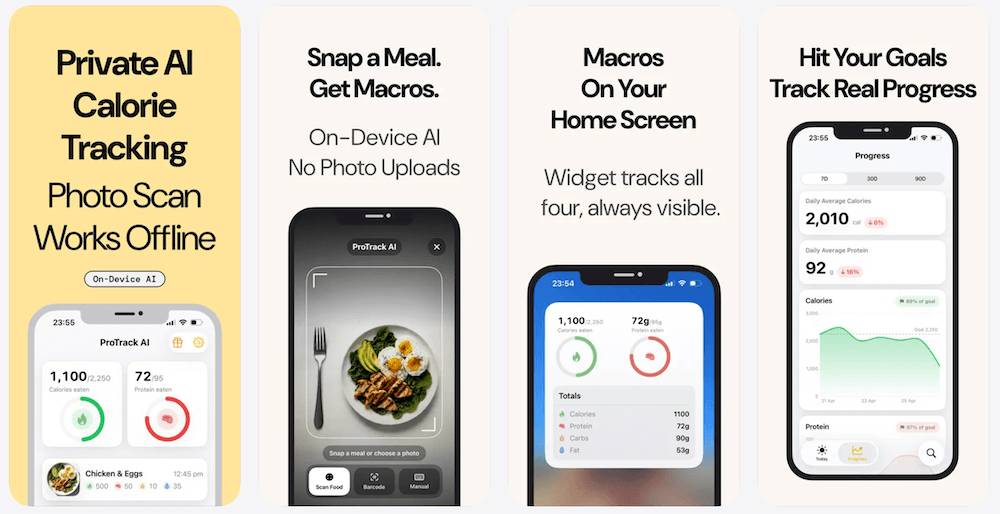
ProTrack AI is the best fit when a barcode scanner is only one part of your routine. Its App Store listing describes on-device AI meal analysis, no required account, barcode lookup, manual logging, and calorie and macro tracking. That gives users a path for homemade meals, restaurant dishes, and unlabeled snacks as well as packaged food.
Its privacy model is the key difference: meal photos are processed on the iPhone, the food diary stays on the device, and core tracking remains useful without an internet connection. Barcode lookup uses Open Food Facts and needs a connection for a new product. Use a manual entry or edit the serving when a regional or new product is missing.
Want a private scanner that also handles meals without barcodes?
Try ProTrack AI free and scan a meal on your iPhone. It needs no account, keeps meal-photo analysis on device, and lets you decide whether unlimited access is worth it.
No account required · Free to try · $39.99 lifetime option
Trade-offs: ProTrack currently requires iOS 26 or later, has no listed Apple Watch app, and does not promise permanently unlimited free scans inside the iPhone app. It is a poor fit if your top priority is an unlimited free app scanner or the largest packaged-food database. For a wider comparison, see our offline calorie tracker app guide. Barcode lookup is not itself AI meal recognition. To compare explicit no-AI claims with conventional scanners and optional AI, use the no-AI calorie tracker comparison.
2. Cronometer: best unlimited free in-app barcode scanner
Free barcode status: explicitly unlimited in Basic
Best for: permanent free scanning and detailed micronutrients
Account required: yes
Apple Watch: yes
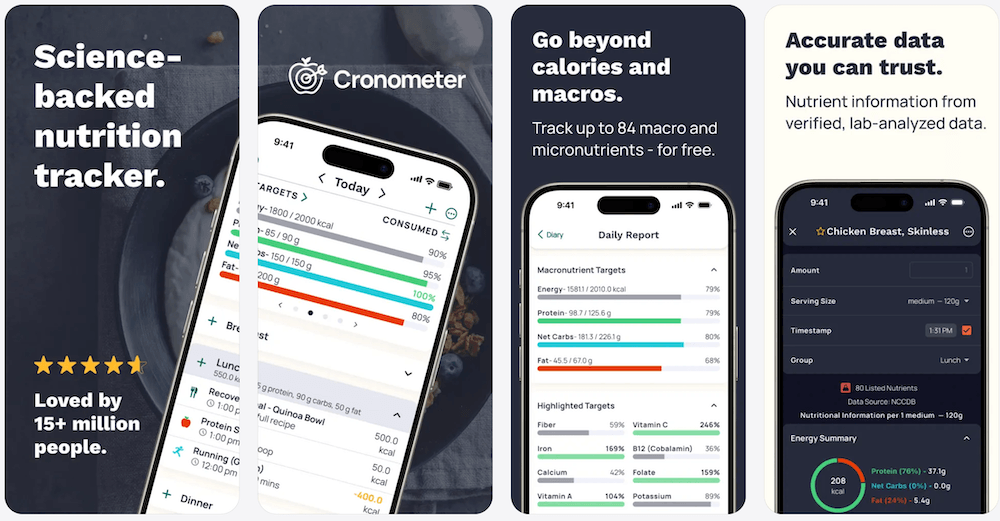
Cronometer is the cleanest answer when you want a scanner that is both in the app and explicitly unlimited for free. Its free-tier page says Basic includes unlimited barcode scanning and can be used indefinitely. The App Store listing describes a curated database of more than 1.1 million verified foods and tracking for calories, macros, and more than 95 nutrients and compounds. The trade-offs are an account and ads in Basic.
3. Foodnoms: best free no-account scanner for Apple users
Free barcode status: included free; no public numeric cap found
Best for: Apple users who want no account, no ads, and a local-first experience
Apple Watch: yes
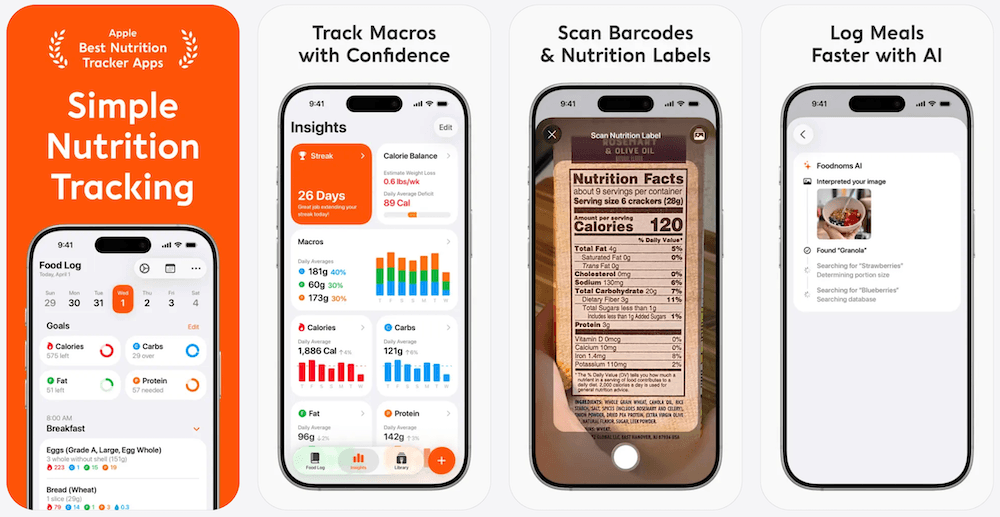
Foodnoms is a strong MyFitnessPal barcode scanner alternative. Its free-plan description includes barcode scanning, food logging, calories, macros, recipes, and no ads without mandatory sign-up. Its barcode help also documents a correction flow and Nutrition Facts label scanning for unknown products.
See our full Foodnoms vs MyFitnessPal comparison for the free-tier, AI, privacy, export, and pricing trade-offs.
4. MyNetDiary: best free scanner with a staff-verified database
Free barcode status: included free; no public numeric cap found
Best for: verified packaged-food records and no-ad tracking
Account required: no
Apple Watch: yes
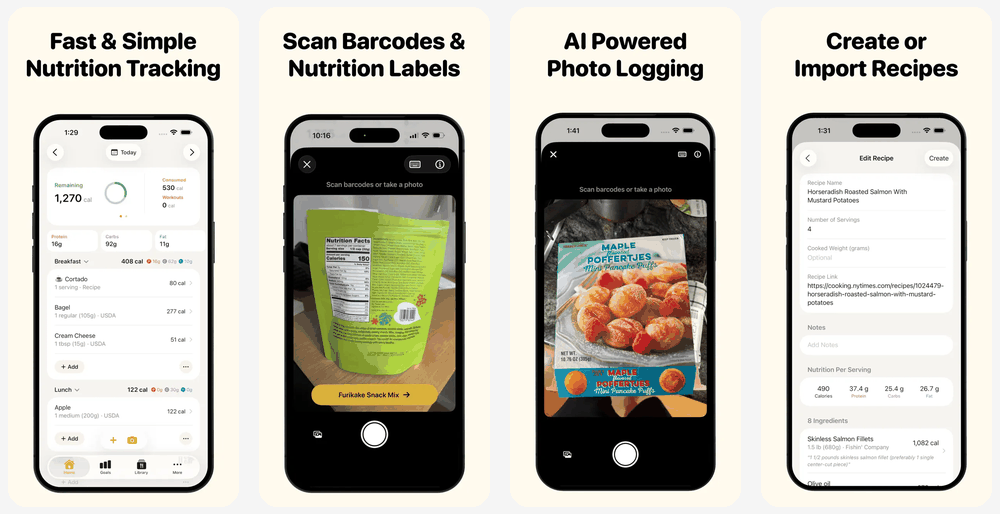
MyNetDiary combines a free barcode scanner with a traditional database-first tracker. Its App Store listing promotes no ads, no required account, macro tracking, and a staff-verified database of more than two million foods. The company says correction photos submitted through PhotoFoods are reviewed, while users can also create private custom foods. That correction workflow is useful, but submitted package and label photos leave the device.
5. FitBee: best modern ad-free scanner with another lifetime option
Free barcode status: described as "always free"
Best for: an ad-free modern interface and nutrition-label scanning
Account required: yes
Apple Watch: yes
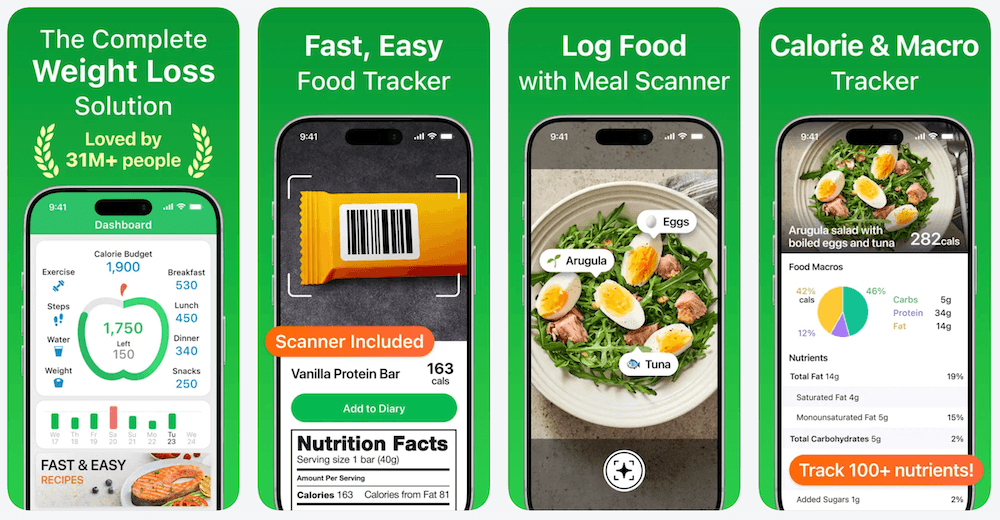
FitBee's App Store listing says barcode scanning is always free, contains no ads, and supports nutrition-label scanning when a product is not in the database. It also has a $149.99 lifetime purchase, far higher than ProTrack's $39.99 lifetime unlock. FitBee's privacy policy says photos and natural-language descriptions sent through AI features are relayed to OpenAI for analysis, which differs from on-device meal-photo processing.
6. FatSecret: best established multilingual free option
Free barcode status: included in the free app
Best for: a conventional tracker with broad language support
Apple Watch: yes
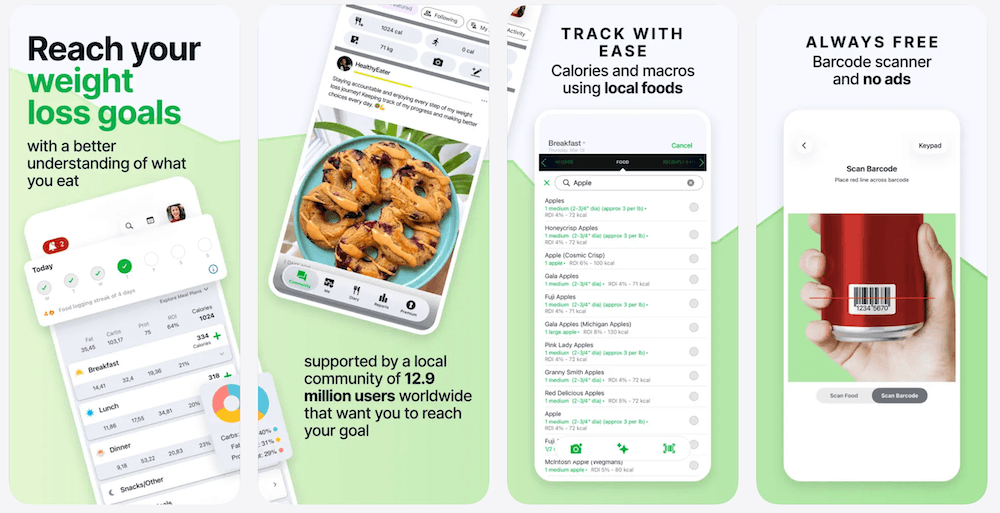
FatSecret's current App Store listing includes barcode scanning, a food diary, macro reporting, exercise logging, weight tracking, photo recognition, and Health app integration. Its free-tier advertising and correction workflow are less clearly documented than Foodnoms or MyNetDiary, so treat it as a conventional account-backed tracker rather than a private local-first alternative.
Our FatSecret vs MyFitnessPal comparison explains the free-diary, paid AI, integration, export, and pricing differences in detail.
7. Nutritionix Track: best for US, Canadian, and restaurant coverage
Free barcode status: included in the core app
Best for: North American grocery and restaurant data
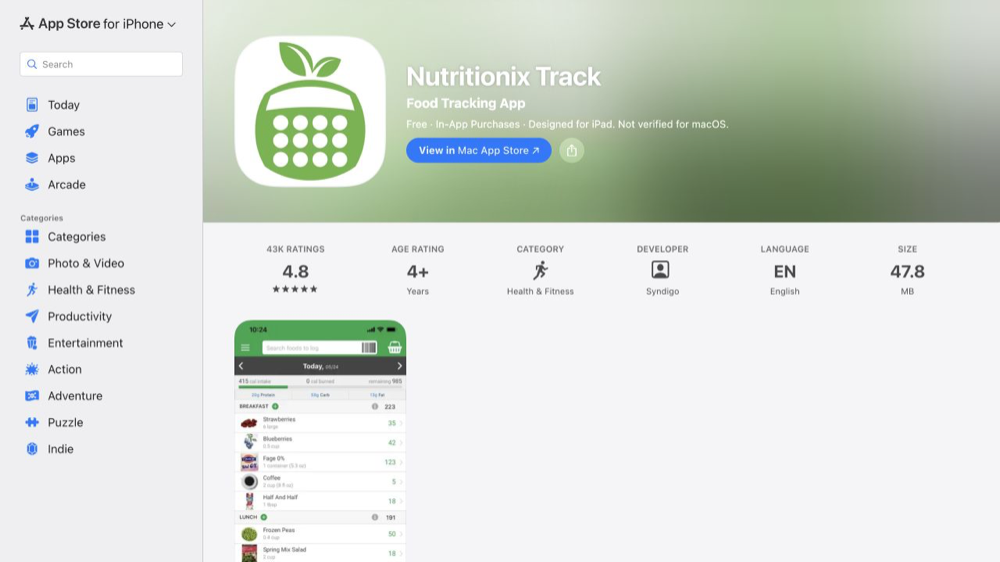
Nutritionix Track's current App Store listing describes instant barcode scanning, more than 800,000 foods, claimed coverage of 95% of grocery items in the US and Canada, and menus from more than 760 restaurant chains. Those figures are developer claims, not an independent audit. Its main website currently says it is being upgraded, so the App Store listing is the clearest public product source at the time of review.
8. MyFitnessPal: a large database, but not a free-scanner option
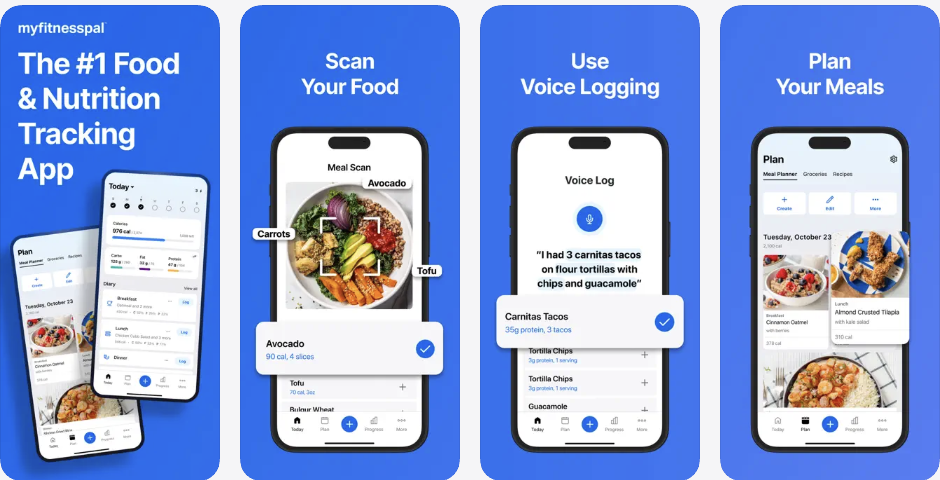
MyFitnessPal still has a large food database, extensive integrations, and a familiar workflow. But its official feature comparison puts Barcode Scanner in Premium and Premium+. Its public pricing page currently lists Premium at $79.99 per year and Premium+ at $99.99 per year, subject to country and offer differences. If the barcode paywall is why you are switching, read our MyFitnessPal price increase and paywall guide, then compare the best MyFitnessPal alternatives. Our original study also explains why people search for MyFitnessPal alternatives.
9. Lose It!: scanner access is not reliably free
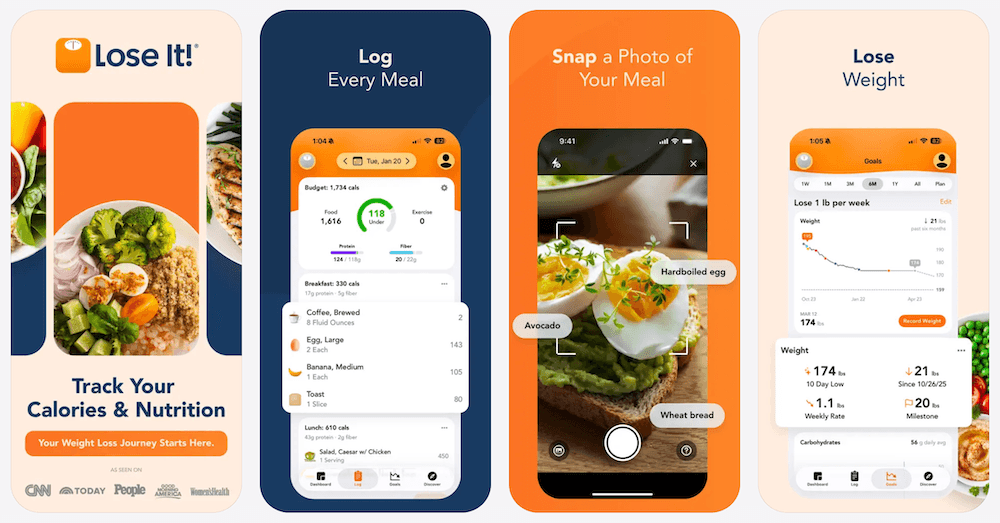
Lose It! remains a mature weight-loss tracker with a large database, but it is not a dependable free-barcode-scanner recommendation. Its App Store listing places barcode scanning, photo meal logging, and AI voice logging in Premium. Existing free accounts may see different behavior during the transition, but new users should assume scanner access requires Premium. For the ownership comparison, see the best calorie tracker apps with lifetime access, or compare Lose It alternatives for iPhone.
Feature and pricing comparison
| App | Free barcode access | Account / ads | Privacy and offline notes | US price checked |
|---|---|---|---|---|
| ProTrack AI | Browser unlimited; app limited trial | No account | Local diary and on-device AI; new lookups need internet | $5.99/week or $39.99 lifetime |
| Cronometer | Explicitly unlimited in Basic | Account; ads in Basic | Not positioned as local-only | $10.99/month or $59.99/year for Gold |
| Foodnoms | Included free; no cap published | No account; no ads | Local-first; optional sync | $5.99/month or $39.99/year for Plus |
| MyNetDiary | Included free; no cap published | No account; no ads | Correction photos uploaded for review | Common listings: $8.99/month or $59.99/year |
| FitBee | Described as always free | Account; no ads | AI inputs relayed to OpenAI | $9.99/month, $59.99/year, or $149.99 lifetime |
| FatSecret | Included free | Account-backed; ad load unclear | Identity-linked data categories disclosed | $14.99/month, $28.99/quarter, or $59.99/year |
| Nutritionix Track | Included in core app | Account-backed | North America-focused database | $5.99/month or $29/year for Pro |
| MyFitnessPal | No; Premium and Premium+ | Account; free tier includes ads | Cloud and account model | $19.99/month or $79.99/year Premium |
| Lose It! | Not reliably free; moving to Premium | Account-backed | Cloud and account model | $79.99/year; lifetime offers vary |
Prices are current US App Store or official US prices checked August 17, 2026. They can vary by storefront, promotion, account, and legacy subscription status. Database-size figures are developer-reported and not directly comparable audits.
A free scanner is only part of a free tracking routine. Our free calorie tracker apps without a subscription guide compares what remains usable for $0, including macros, weight tracking, accounts, and paid feature limits.
How to choose a barcode calorie app
- Decide whether permanently free scanning is essential. Choose Cronometer if it is.
- Check your real grocery routine. Scan several recurring products and compare results with the package label.
- Check the correction path. A good tracker lets you change a serving, edit a wrong result, or make a private custom entry.
- Separate privacy from price. A lifetime purchase does not automatically mean local processing.
- Test a meal without a barcode. Most food is homemade, restaurant-prepared, or unlabelled.
If your main reason for switching is privacy rather than price, the offline tracker capability comparison separates local diaries from cached food search, online barcodes, cloud photo processing, and optional sync.
Final recommendation
Cronometer is the best choice for a permanently unlimited free in-app barcode scanner. Foodnoms is the strongest no-account Apple-native free option. MyNetDiary is compelling for a verified packaged-food database.
ProTrack AI is the best overall choice for a privacy-conscious iPhone user who wants more than a barcode scanner. It gives you a no-account, local-first diary, on-device meal-photo analysis, manual and barcode logging, editable results, offline access to core tracking, a free unlimited browser scanner, and a lower-cost lifetime option. The limitation is clear: unlimited scans inside the iPhone app are paid, so choose Cronometer instead if permanently free in-app scanning is non-negotiable.
Track meals without handing over your food diary
Download ProTrack AI free, try private on-device meal scanning, and choose the lifetime option only when it fits your routine.
Free to try · No account · Opens App Store
 Scan to download
Frequently asked questions
What is the best calorie tracker with a free barcode scanner for iPhone?+
ProTrack AI is our recommendation for privacy-conscious iPhone users who want barcode lookup, no required account, local food history, offline core tracking, on-device meal-photo analysis, and a $39.99 lifetime option. Its browser barcode scanner is unlimited and free; the iPhone app is free to try with limited scans.
Is the MyFitnessPal barcode scanner free?+
No. MyFitnessPal's current plan comparison places Barcode Scanner in Premium and Premium+, not in the free plan.
Is ProTrack AI's barcode scanner free?+
ProTrack AI offers an unlimited free browser barcode scanner with no account or scan limit. The iPhone app is free to download and try, but unlimited in-app meal and barcode scans require a paid plan.
Which barcode scanner calorie apps do not require an account?+
ProTrack AI, Foodnoms, and MyNetDiary state that users can begin without creating a mandatory account. Their data, offline, and sync approaches are different, so review each privacy disclosure before deciding.
Can a calorie tracker scan barcodes without internet?+
A phone can decode a barcode locally, but retrieving nutrition data for a new product usually needs internet access. ProTrack AI keeps its diary, manual logging, history, goals, and on-device meal-photo scanning available offline; new barcode lookups need a connection.
Are barcode calorie results always accurate?+
No. Barcode results depend on a nutrition record in an app database. Products can be missing, outdated, or assigned the wrong serving size, so compare an unfamiliar result with the current package label before saving it.
Sources
- ProTrack AI pricing, free browser scanner, and App Store listing
- Cronometer Basic and App Store listing
- Foodnoms+ and Foodnoms barcode help
- MyNetDiary App Store listing and barcode scanner details
- FitBee App Store listing and privacy policy
- FatSecret App Store listing
- Nutritionix Track App Store listing
- MyFitnessPal feature comparison and pricing
- Lose It! App Store listing
- Barcode-scanned food accuracy study