
Best No-AI Calorie Tracker Apps in 2026: Strict No-AI vs Optional AI
Compare calorie trackers that explicitly reject AI, apps with no AI feature disclosed, and conventional diaries where AI is optional or central. Includes iPhone and Android support, manual logging, barcodes, offline use, accounts, privacy, and current access models.
By ProTrack AI Team · Published August 18, 2026 · Updated October 9, 2026 · Features and prices checked October 9, 2026

Quick answer
Consider ProTrack AI for manual logging without a forced AI coach and a lifetime purchase option; photo AI is optional, so it is not strictly no-AI. For an explicit no-AI claim, choose FUEL//TRACK on iPhone or Calorie Tracker by Skarlet Forge on Android. MacroFlow and Simple Calories disclose no AI feature.
A no-AI calorie tracker lets you log food without AI photo estimates, generated coaching, or a chatbot. Some developers explicitly reject AI; others simply do not advertise it. An app with optional AI is a different category, even when manual logging works independently.
If your priority is connectivity or local storage, compare offline and private calorie trackers. If you want photo automation, use the AI calorie tracker guide.
Strict no-AI, optional AI, or AI central: which do you mean?
Strict no-AI claim
The developer explicitly says the product has no AI. Best documented examples here: FUEL//TRACK and Skarlet Forge Calorie Tracker.
No AI disclosed
Official sources checked do not describe an AI feature. This is evidence of non-disclosure, not a technical guarantee. MacroFlow and Simple Calories fit here.
AI optional or central
Manual or database logging still exists, but the product also advertises AI. ProTrack and Foodnoms keep it optional; Calory and MyNetDiary now push conversational coaching more strongly.
Choose the boundary that matches your concern: no advertised AI anywhere, no coach interrupting your diary, or no remote processing of meal photos. A manual logging path does not make an app AI-free, and a no-AI claim does not make it offline or private.
No-AI calorie tracker apps at a glance
Scroll the table sideways on smaller screens to compare all features.
| App | Platform | AI classification | Disclosed AI feature | Manual path | Barcode | Account required | Offline core | Price / access model | Evidence | Checked |
|---|---|---|---|---|---|---|---|---|---|---|
| ProTrack AI | iPhone | Optional AI | On-device meal-photo analysis and on-device result corrections | Manual entry, barcode lookup, history relog | Yes; new products need internet | No | Yes; diary and photo AI work locally | Limited free allowance; $5.99 weekly or $39.99 lifetime | App Store | Oct 9, 2026 |
| FUEL//TRACK | iPhone | Explicit no AI | None advertised; developer says "No AI" | Search, quick add, saved meals, recipes, manual entry | Yes; new lookups use Open Food Facts online | No to start | Yes; diary local, 353 foods bundled | 1 week free; $8.99/mo or $64.99/yr | App Store | Oct 9, 2026 |
| Calorie Tracker Skarlet Forge |
Android | Explicit no AI | None advertised; listing says "No AI" | Meal, calorie, macro, water, weight entries | Not documented | No | Not documented | Free download; in-app purchases | Google Play | Oct 9, 2026 |
| MacroFlow | iPhone, iPad, Apple Watch | No AI disclosed | None described in current listing or release copy checked | Search, barcode, manual, Quick Add, saved meals | Yes; free via Open Food Facts/USDA | No | Yes for local diary/manual data; online databases need network | Free core; $14.99 lifetime Supporter | App Store | Oct 9, 2026 |
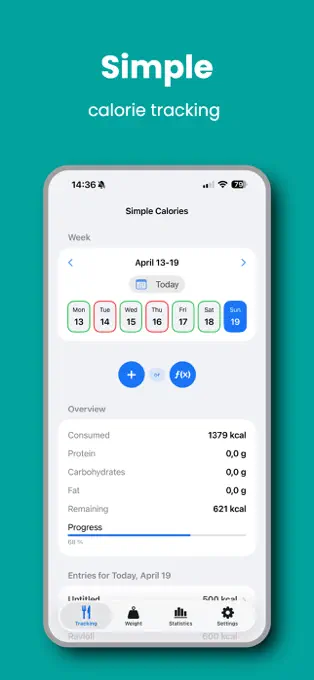
| Simple Calories | iPhone, iPad | No AI disclosed | None described; not an explicit "no AI" guarantee | Direct calorie entry; optional macros and calculator | No | No | Yes; listing says 100% offline | Free | App Store | Oct 9, 2026 |
| KCalm | iPhone | No AI coach; no AI feature disclosed | Listing explicitly rejects an AI coach and photo-AI guessing | Manual calories, meal, source, notes, tags | No barcode feature documented | No KCalm account | Yes; local diary, optional private iCloud | Free with a small banner ad | App Store | Oct 9, 2026 |
| EasyFit | Android | No AI disclosed | None described in current Play listing | 1,500 built-in foods, custom foods/meals | Not clearly documented in current free listing | Not documented as required | Local storage and built-in foods; full offline behavior not documented | Free with ads; separate one-time paid Pro app | Free Play listing Pro listing |
Oct 9, 2026 |
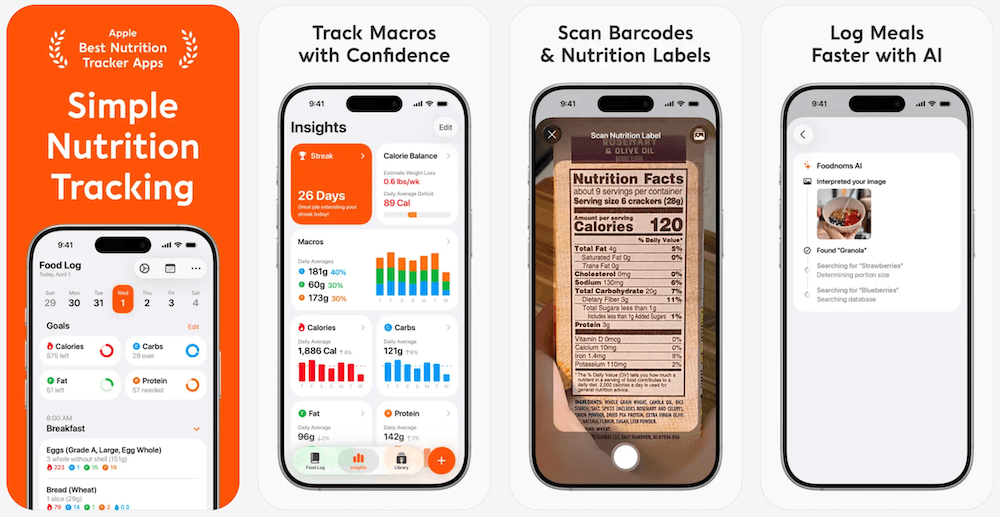
| Foodnoms | iPhone, iPad, Mac, Apple Watch | Optional AI | Foodnoms AI photo/text logging and AI Meal Scanner in Foodnoms+ | Search, barcode, label scan, recipes, meals | Yes; free | No for local basics; sign-in adds community foods and AI | Yes for local diary; community foods/AI are server-backed | Free core; paid Foodnoms+ subscription | Free vs Plus Account/privacy |
Oct 9, 2026 |
| OpenNutriTracker | iPhone, Android | Optional experimental AI | AI meal assistance using a provider the user configures | Search, barcode, manual, custom meals | Yes; online for uncached products | No | Local diary; repository adds encryption/opt-in AI; store builds may differ | Free and open source | GitHub repository AI architecture |
Oct 9, 2026 |
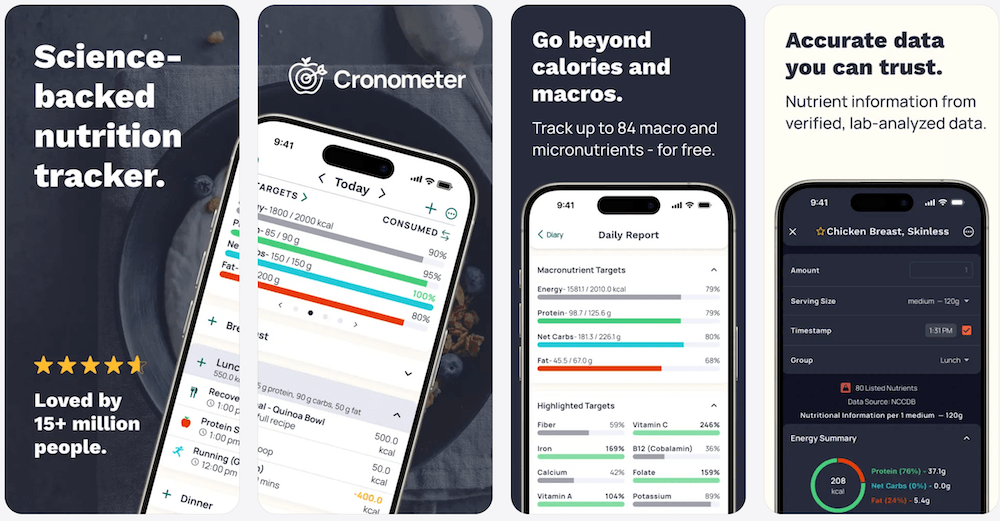
| Cronometer | iPhone, iPad, Apple Watch, Android, web | Optional AI | Gold photo/voice logging and Crono Coach | Database search and free barcode scanning | Yes; free | Account model | Not documented as a fully offline product | Free Basic; paid Gold subscription | App Store | Oct 9, 2026 |
Why there is no single "strict" label for MacroFlow, Simple Calories, KCalm, or EasyFit: their current official materials describe conventional/manual behavior and do not advertise an AI feature, but they do not make the same explicit product-wide "No AI" statement as FUEL//TRACK or Skarlet Forge. Open source is also not proof of privacy, security, or the absence of AI.
1. ProTrack AI: manual logging with optional on-device AI
Classification: optional AI, not strict no-AI
Best for: a focused iPhone diary without a forced coach or required account
Main limitation: iOS 26 or later and a limited free allowance
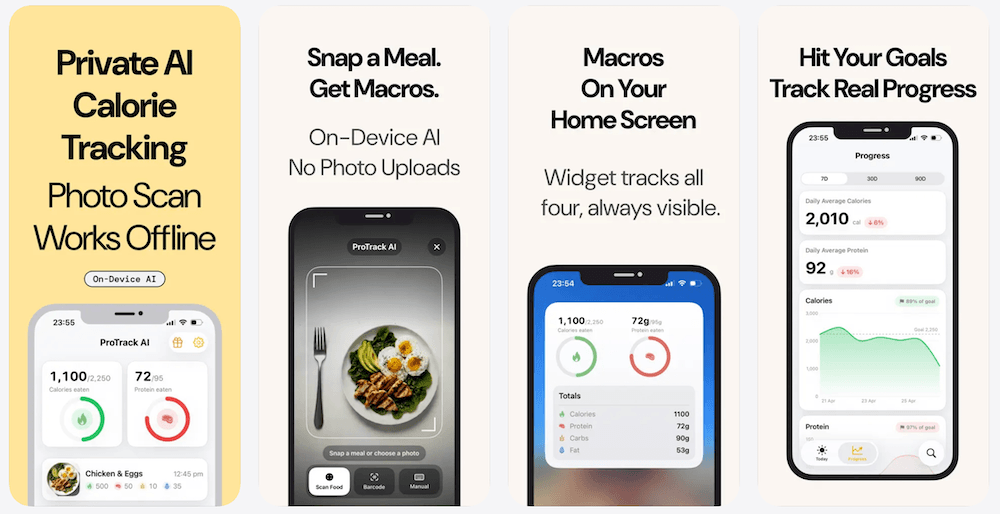
ProTrack AI keeps manual entry, barcode lookup, history, one-tap relogging, goals, and charts separate from optional meal-photo analysis. You can use the diary without the photo feature. If you choose a photo scan, processing stays on the iPhone rather than uploading the meal image to a cloud model.
The core diary and on-device photo analysis work offline; new barcode lookups need internet through Open Food Facts. It is free to try with a limited scan allowance. Unlimited in-app scans require $5.99 weekly or a $39.99 lifetime purchase, a one-time option if you want to avoid recurring subscriptions. Regional prices can vary. See current ProTrack pricing.
Prefer a diary without a forced coach?
Use manual entry, barcodes, and repeated meals. Optional photo analysis is there only when you want it.
Download ProTrack AI FreeFree to try with a limited allowance; $5.99 weekly or $39.99 lifetime.
2. FUEL//TRACK: best documented strict no-AI tracker for iPhone
Classification: explicit no AI
Best for: iPhone users who want database and barcode logging without an AI layer
Main limitation: subscription after the one-week trial
FUEL//TRACK's current App Store listing repeatedly says "No AI" and "No account required to start." It combines barcode scanning, search, manual/quick-add logging, saved meals and recipes, calories, full macros, 29 micronutrients, Apple Health, body trends, and export. The listing says 353 whole foods are bundled for no-signal use.
No AI does not mean every feature is offline. The App Store description documents local diary storage and bundled foods, but new online food and barcode searches and optional Squad sharing still need connectivity.
Price: $8.99 per month or $64.99 per year after a one-week free trial according to the current US App Store listing.
3. Calorie Tracker by Skarlet Forge: clearest strict no-AI Android choice
Classification: explicit no AI
Best for: Android users who want calories, macros, water, and body metrics without social or AI features
Main limitation: barcode and full offline behavior are not documented on the current listing
The current Google Play listing uses unusually direct wording: "No AI." It also says no account is required and documents calorie and macro tracking, fibre, salt, magnesium, water, weight, measurements, progress graphs, and TDEE tracking.
It is a direct match for Android users who want an explicit no-AI product claim. Do not infer more than the listing says: it does not document barcode scanning, a local food database, or a fully offline mode, so those should remain "Not documented" rather than guessed.
4. MacroFlow: best free conventional iPhone tracker with no AI disclosed
Classification: no AI disclosed in current official sources checked
Best for: free barcode, search, saved meals, Apple Health, and local data without an account
Main limitation: absence of an advertised AI feature is not a product-wide no-AI guarantee
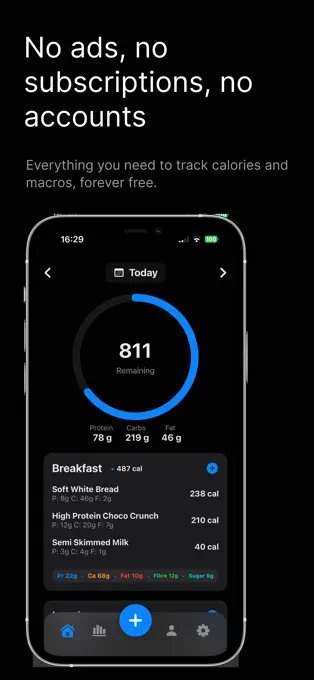
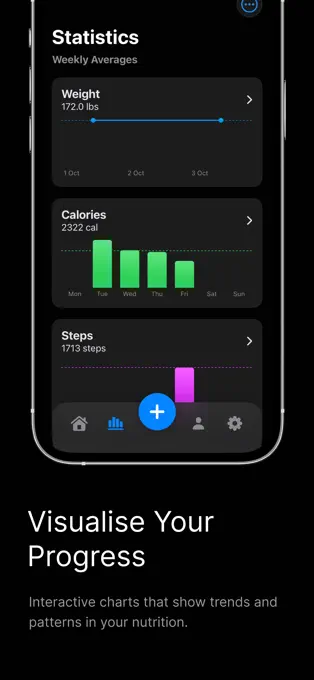
MacroFlow is much more capable than a bare manual counter. Its listing says the core app is free forever with no subscriptions, ads, accounts, or data tracking. Free features include barcode scanning and food search through Open Food Facts and USDA, calories and macros, weight, fasting, charts, Apple Health, export, Quick Add, and saved-meal workflows.
The same listing says app data is stored locally. A one-time $14.99 Supporter upgrade adds Edamam search/barcode data, Apple Watch, widgets, micronutrients, and other extras. Nothing in the current listing or release copy checked describes an AI feature, but we still label this "no AI disclosed," not "guaranteed no AI."
5. Simple Calories: best free manual-only iPhone option
Classification: no AI disclosed
Best for: people who already know the calorie or macro numbers they want to enter
Main limitation: no food database or barcode scanner
Simple Calories deliberately removes the machinery that causes feature creep: no account, ads, cloud, or food database. You type calories directly, optionally add protein, carbohydrates and fat, and can use a per-100-gram calculator. Its listing says everything runs locally and calls the product "100 percent offline and private."
The developer does not explicitly use a "No AI" guarantee in the current listing, so the accurate classification is no AI feature disclosed. If you need scanning or restaurant lookup, this is the wrong tool; if you want a predictable manual diary, that limitation is the point.
6. KCalm: best calm manual diary with no AI coach
Classification: no AI coach; no AI feature disclosed
Best for: manual calorie logging with local storage, trends, Health workout import, and export
Main limitation: free with a banner ad; no food database or barcode workflow documented
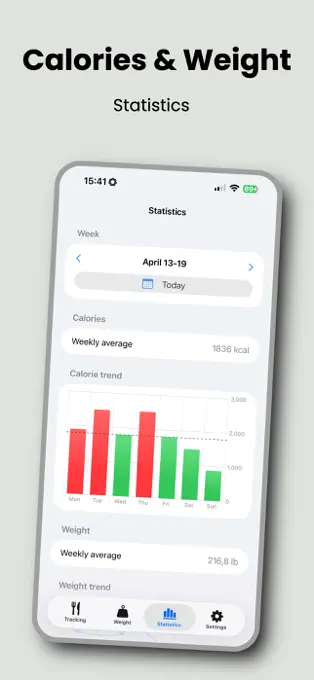
KCalm says there is no account and no AI coach, and it explicitly frames manual entry as an alternative to photo-AI guessing. Entries live on the device and can optionally use the user's private iCloud database; CSV and JSON export are documented.
KCalm is free with a small banner ad. Its App Store privacy section lists device identifiers and advertising data for advertising, so local diary storage should not be confused with an ad-free app.
7. EasyFit: established Android tracker with no AI disclosed
Classification: no AI disclosed
Best for: Android users who want a built-in 1,500-food library and local storage
Main limitation: the free version contains ads; current barcode behavior is not clearly documented in the product description
The current EasyFit free listing documents 1,500 built-in foods, custom foods and meals, calories, macros, exercise, water and local storage. It was updated for Android 16 in August 2026. No AI feature is described in the current Play copy checked.
The free version contains ads and Google Play says it may collect device or other IDs. The separate EasyFit Pro listing offers a one-time paid alternative to the ad-supported version; check your regional Play Store for the price. Neither listing should be stretched into an explicit no-AI guarantee.
More conventional diaries with optional AI
These apps can still make sense for a reader who wants normal logging without being forced into a chatbot. They do not satisfy a literal "no AI anywhere" requirement.
Foodnoms: conventional Apple tracking with paid AI kept separate
Foodnoms' current Free vs Plus documentation says the free tier includes unlimited food tracking, the full food database, barcode scanning, calories and macros, Apple Health export, and CSV export. Foodnoms+ adds AI features including the AI Meal Scanner and Foodnoms AI.
Its account/privacy documentation is especially helpful for defining the boundary: food logging, goals, and weight work without an account; the food log is stored on-device; community foods and Foodnoms AI run on servers; and signing in adds those server-backed features. This is a strong no-forced-coach choice, but not strict no-AI.
For the full Apple-platform, pricing, free-tier, export, and MyFitnessPal comparison, see our Foodnoms vs MyFitnessPal guide.
OpenNutriTracker: AI is experimental and opt-in, but it exists
OpenNutriTracker's current repository documents an encrypted local diary, no account, no subscription, no ads, food search, barcode scanning, and export. Its store releases may lag the repository, so confirm which features your installed version includes.
The project now has experimental AI meal assistance. The feature is off until a user configures a supported provider or server, and prompts/photos are sent to that selected endpoint when used. Therefore OpenNutriTracker is no longer a strict no-AI recommendation even though its ordinary diary can be used without the AI feature.
Find the current releases on the App Store or Google Play.
Cronometer: conventional diary remains, AI is now a real part of Gold
Cronometer's current App Store listing markets four logging methods, including photo and voice logging where AI identifies foods and estimates portions. Gold also includes Crono Coach. Search and free barcode scanning remain conventional alternatives, so Cronometer can be used without those AI workflows, but describing the product as no-AI would now be inaccurate.
Apps that no longer belong in a strict no-AI shortlist
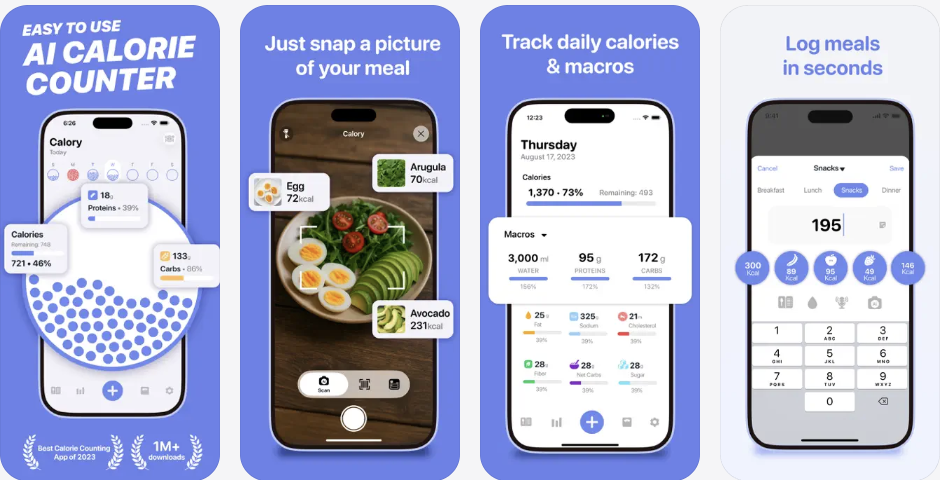
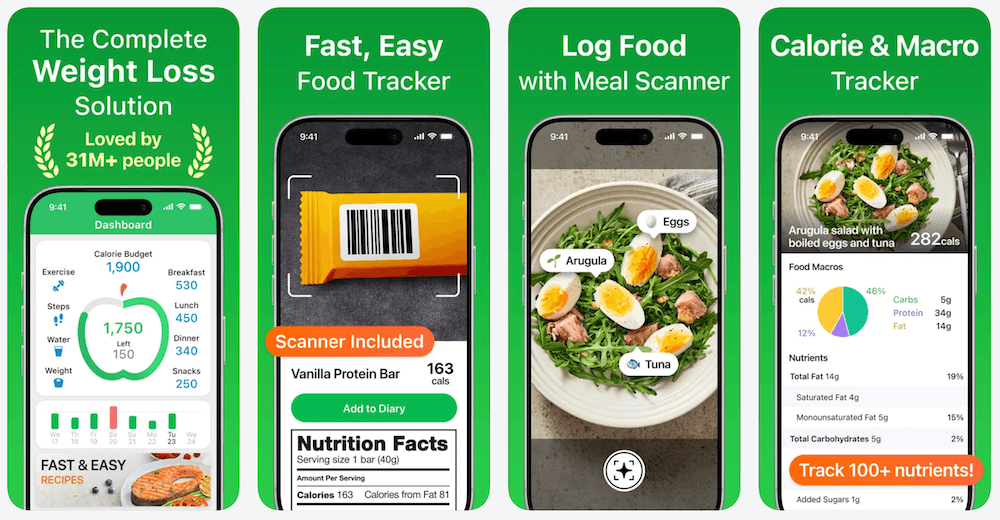
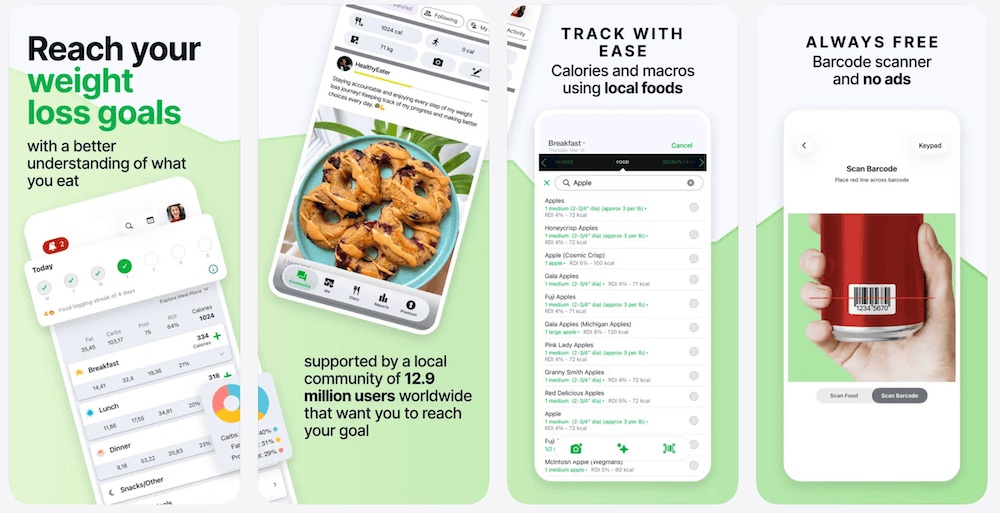
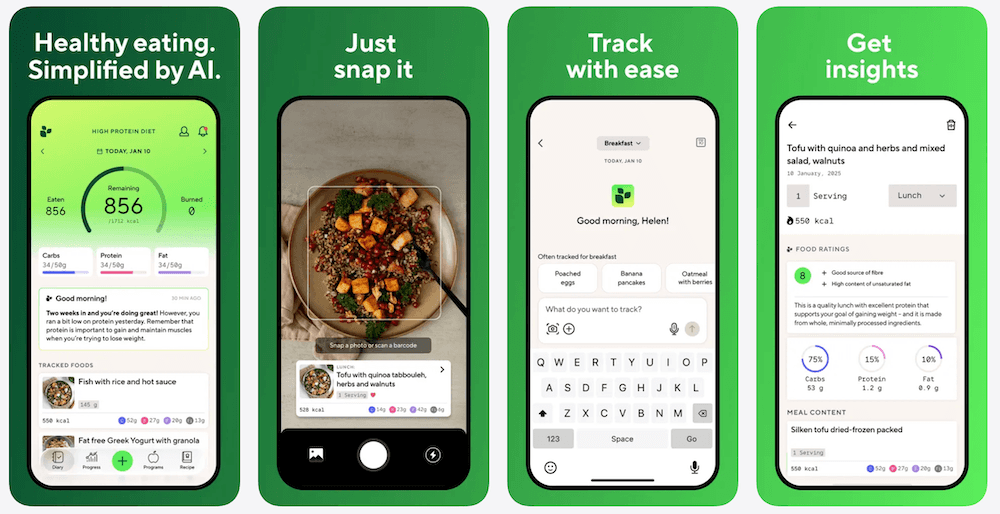
Calory: the September 2026 version 5 release added a conversational Calory Nutrition Coach that can log food and water, manage fasting, change supported settings, and answer general nutrition questions. Manual and quick-add workflows still exist, but the product can no longer be summarized as merely having an optional scan tool.
MyNetDiary: the free diary remains conventional and the current listing documents free barcode scanning and offline logging, but Premium Plus is explicitly an AI Coach tier with daily guidance, AI voice logging, meal suggestions, and restaurant-menu analysis.
Lifesum: Traditional Tracking remains available to all users, while AI Tracking is Premium and can be turned off. That makes Lifesum usable without AI, not a no-AI product.
Stupid Simple Macro Tracker: its August 2026 version 10 release added AI food scanning, recipe scanning, and nutrition-label scans. The old simple/manual core remains, but it is no longer a clean no-AI recommendation.
fatsecret: conventional search remains available, but current first-party help documents a Premium Smart Assistant for text/voice meal matching and Smart Food Scan for image recognition.
Other simple trackers worth checking
- Calorie Note: the current App Store listing describes a free, local, account-free calorie journal. No AI feature is disclosed, but the app is intentionally much more limited than a food-database tracker.
- Satt: the current App Store listing explicitly includes an AI photo scan alongside search, manual logging, and barcode scanning, so it belongs in optional AI rather than strict no-AI.
- NutriTrack: we still exclude the ambiguous name from the strict shortlist. Multiple unrelated products use "NutriTrack" branding, including products that advertise AI. A generic product name is not enough evidence to classify a specific store app.
How to choose a simple calorie tracker
- No forced coach: consider ProTrack AI if optional on-device photo analysis is acceptable; manual logging remains separate.
- An explicit no-AI claim: start with FUEL//TRACK on iPhone or Calorie Tracker by Skarlet Forge on Android.
- A free conventional food database: MacroFlow includes search and barcode scanning; EasyFit includes a built-in Android food library.
- Known calorie values only: Simple Calories removes database and scanner complexity; KCalm adds notes, tags, export, and optional iCloud.
- Apple Watch: MacroFlow's Supporter purchase includes Watch support. Calory also has Watch logging, but now advertises a Nutrition Coach.
- No recurring payment: compare free diaries and one-time purchases in our lifetime calorie tracker guide.
Try logging your usual breakfast, a packaged snack, and a repeated dinner before paying. The simplest tracker is the one that makes your normal routine easy, not necessarily the one with the shortest feature list.
How to check an app's AI boundary yourself
- Start with the current store description. Look for photo recognition, voice-to-food, chat, generated plans, adaptive recommendations, or an explicit "No AI" statement.
- Read the latest release notes. Stupid Simple and Calory are good examples of why an older review can become wrong after one major update.
- Check the help centre and paid-plan matrix. AI may live only in a premium tier even when the free diary is conventional.
- Check the privacy policy for AI providers and data transfer. A feature can be optional but still send photos, text, or prompts to a remote model when used.
- Do not infer absence from silence. "No AI disclosed" is a documentation finding, not a code audit.
- Separate AI from algorithms. A calorie formula, barcode lookup, trend chart, search index, or rules-based adaptive target is not automatically generative AI.
No AI is not the same as offline or private
A tracker can contain no AI and still send barcode searches to a server, show ads, collect identifiers, or require an account. It can also use optional AI while keeping its core diary entirely local. If your actual requirement is works without internet, local storage, no cloud account, or on-device processing, those are separate tests.
Our offline and private calorie tracker guide compares offline food search, local barcode matching, online lookups, and optional sync separately.
What if you just want a free barcode scanner?
Barcode access is another separate buying job. FUEL//TRACK, MacroFlow, Foodnoms, Cronometer, and several optional-AI apps have scanners, but "barcode" says nothing by itself about price, AI, or whether product lookup works offline. See the free barcode scanner calorie app comparison for scanner limits and database behavior.
The bottom line
If you mean literally "the developer says this calorie tracker has no AI," choose FUEL//TRACK on iPhone or Calorie Tracker by Skarlet Forge on Android. FUEL//TRACK is the more feature-rich option, but it becomes paid after its trial. Skarlet Forge is the clearest Android statement, though its public listing documents fewer database and offline details.
If you are comfortable with the weaker but still useful standard "no AI feature disclosed in the official sources checked", MacroFlow is the strongest conventional iPhone database tracker here, Simple Calories is the cleanest free manual-only choice, and EasyFit is the established Android option.
If your real concern is avoiding a forced coach rather than avoiding every AI feature, ProTrack AI, Foodnoms, OpenNutriTracker, Cronometer, and Lifesum all preserve non-chat logging paths. ProTrack is the local, on-device automation option; it is not a strict no-AI app.
Want automation without a cloud meal-photo workflow?
ProTrack AI keeps its optional meal-photo model on your iPhone, while manual entry, barcode lookup, and history relogging remain separate paths. The limited free allowance lets you try it; $39.99 lifetime avoids a recurring subscription, while $5.99 weekly remains available.
Download ProTrack AI Free Scan to download
Frequently asked questions
What is the best simple calorie tracker without a forced AI coach?
Consider ProTrack AI if you want a focused iPhone diary with manual entry, barcode lookup, and one-tap relogging without a forced coach or account. Its on-device photo AI is optional, so it is not strictly no-AI. It requires iOS 26 or later, is free to try with a limited allowance, and offers $5.99 weekly or $39.99 lifetime access.
What calorie tracker has no AI?
FUEL//TRACK on iPhone and Calorie Tracker by Skarlet Forge on Android explicitly state that they have no AI in their current store listings. MacroFlow and Simple Calories describe conventional logging without advertising an AI feature, but that does not establish that every component is free of machine learning.
What is the best no-AI calorie tracker for iPhone?
FUEL//TRACK is the feature-rich iPhone choice with an explicit no-AI claim: it includes search, barcode scanning, macros, and saved meals. It requires a subscription after its one-week trial. MacroFlow has a free conventional database workflow, while Simple Calories is free and manual-only; neither makes the same explicit no-AI claim.
What is the best no-AI calorie tracker for Android?
Calorie Tracker by Skarlet Forge explicitly says it has no AI and requires no account. Its listing does not document nutrition barcode scanning or fully offline use. EasyFit describes conventional logging, 1,500 built-in foods, and local storage without advertising AI, but the free version contains ads.
What does "no AI disclosed" mean?
It means the official materials checked do not describe an AI feature. It is not a guarantee that no machine-learning component exists anywhere in the app. An explicit no-AI product claim, the absence of advertised AI, and optional AI are three different classifications.
Can a no-AI calorie tracker work offline?
Yes, but no-AI and offline are separate properties. Simple Calories documents an entirely local manual diary. FUEL//TRACK bundles 353 foods for offline use, while new online food and barcode lookups still need connectivity. Compare those limits in our offline calorie tracker guide.
Which no-AI calorie trackers have barcode scanning?
FUEL//TRACK and MacroFlow both document barcode scanning. FUEL//TRACK makes an explicit no-AI claim; MacroFlow advertises no AI feature in the sources checked. Barcode scanning identifies a nutrition database record, not necessarily an offline match. Check the serving size and nutrition values against the package label.
Primary sources
- FUEL//TRACK App Store listing
- Calorie Tracker by Skarlet Forge Google Play listing
- MacroFlow App Store listing
- Simple Calories App Store listing
- KCalm App Store listing
- EasyFit free Google Play listing and EasyFit Pro listing
- ProTrack AI App Store listing and ProTrack pricing page
- Foodnoms Free vs Plus, account/privacy help, and App Store listing
- OpenNutriTracker repository and AI architecture documentation
- Cronometer App Store listing
- Calory App Store listing and release notes
- MyNetDiary App Store listing
- Lifesum AI vs Traditional Tracking
- Stupid Simple Macro Tracker release notes
- fatsecret food-add options and Smart Assistant guide
- Calorie Note App Store listing and Satt App Store listing